How to Build an Uber-Like Safety App – SOS, GPS & Verified Helpers – Triple Minds Guide 2026
Build an Uber-like safety app with SOS, real-time GPS, KYC-verified helpers and emergency notifications. Triple Minds — makers of Friendo — offers white-label relaunch from $5,500 or full custom build from $8,000. Full development guide, tech stack, mistakes to avoid.

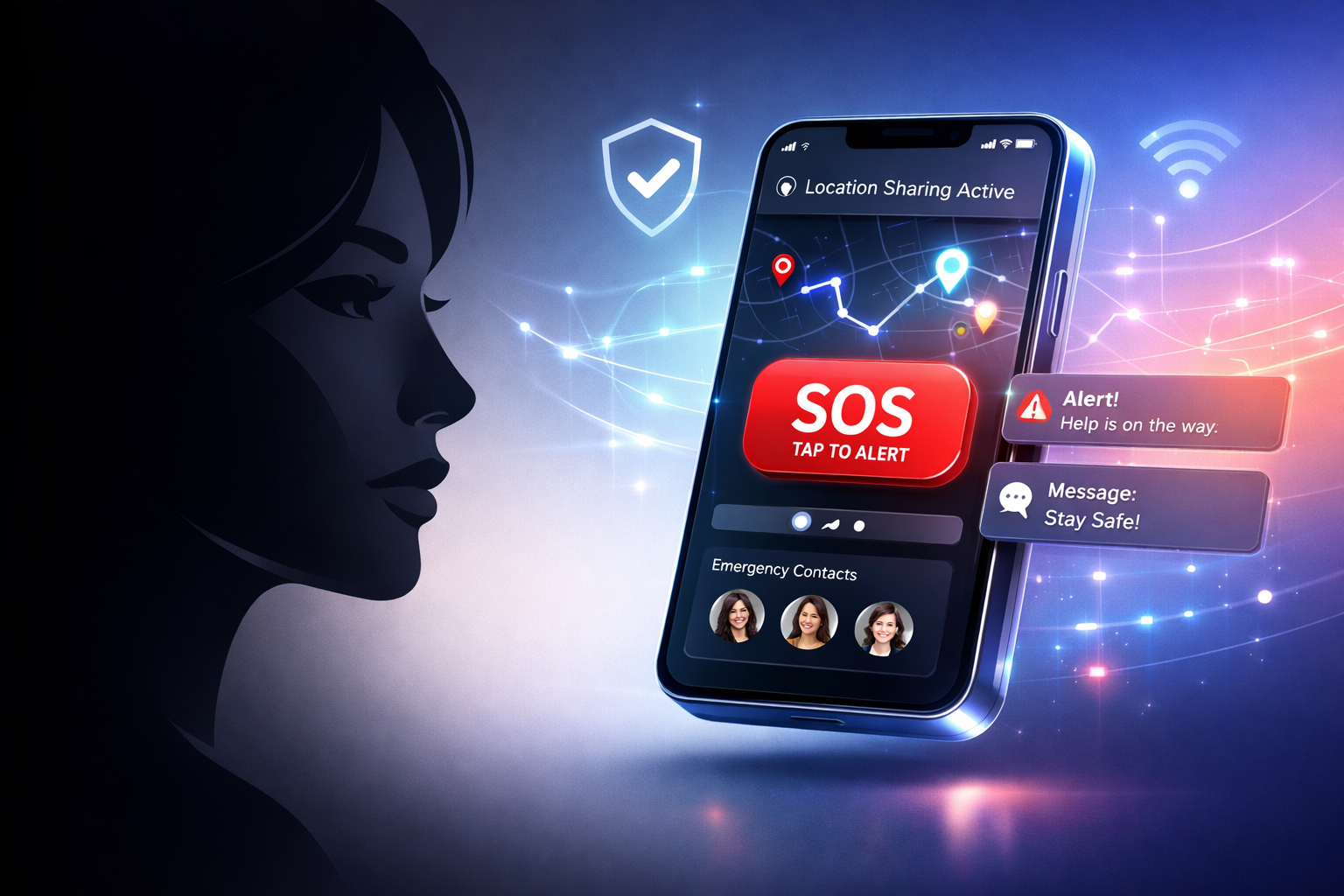
At Triple Minds, we have already built a women’s safety app — Friendo — and it has crossed 5 lakh+ downloads (500,000+) with thousands of active users today. Friendo is not just a panic button. It is built to pull help toward the user — when an SOS fires, the app instantly broadcasts to verified nearby people who can physically respond, alongside the user’s emergency contacts and the authorities. Years of real-world user feedback have hardened it into the kind of platform other founders now ask us to clone. That is why this guide exists, and that is why we feel genuinely qualified to write it. Every word below is informed by what we have actually shipped, scaled, broken and rebuilt — not by what looks good on a slide.
Every second counts when your safety is on the line — and most people, when something actually goes wrong, don’t reach for their phone in time. They freeze, fumble, or forget the right number to dial. That single gap between “I need help right now” and help arriving is what an Uber-like safety app exists to close. One tap, real-time location, a verified responder on the way — the same model that revolutionised how we get a ride, applied to the moment when nothing matters more than how fast a real human reaches you. If you are a founder, an NGO, a city safety initiative or a B2B HR team thinking about building one, this guide is the playbook.
The market for personal safety apps has quietly become one of the most strategic categories in mobile. Urban-safety concerns are climbing, women-led safety networks are scaling fast in India, the UAE and Southeast Asia, and corporate HR is buying employee-safety SaaS as part of standard workplace coverage. Building a safety app on the Uber model — verified network, GPS broadcast, instant matching — is no longer a “nice idea.” It is a category with proven monetisation, real social impact, and a development pattern that has been battle-tested across hundreds of deployments.
👉 Triple Minds is the team behind Friendo — a real-world safety app with 5 lakh+ downloads and thousands of daily active users. If you want to build something similar, our Uber-Like Safety App Development team will scope, design, and ship it on a fixed-price plan. Book a free 30-minute demo of Friendo and a no-obligation quote →
Key Takeaways
- Speed is the product. A safety app that takes 6 seconds to send an SOS is not a safety app. Sub-2-second activation and verified responder dispatch are non-negotiable.
- Trust beats features. KYC verification, document checks, helper rating systems and reputation scoring are what separate a real safety network from a glorified panic button.
- Start with a focused MVP. Ship SOS, GPS broadcast, fake call, and a verified helper network first. Wearable, blood bank, ambulance and analytics come in v2.
- The admin panel matters more than the user UI. A weak operations panel is the single biggest reason safety apps fail post-launch.
- The cost range is wider than founders expect. An MVP starts at $5K. A multi-region B2B-grade platform with white-label and wearable integrations runs to $80K+.
- Compliance is part of the build, not an afterthought. PII, location data, KYC and emergency-services integration touch GDPR, CCPA, India’s DPDP Act and app-store-specific safety policies.
What Is an Uber-Like Safety App and Why Does It Matter?
An Uber-like safety app applies the on-demand-matching model — the one that powers ride-hailing — to personal safety. The principle is the same: when a request goes out, a real-time system finds the closest verified responder, broadcasts the requester’s location, and tracks the connection until help arrives. Where Uber matches a rider to a driver, a safety app matches a person in danger to a vetted nearby helper, an emergency contact, a security responder, or an emergency services dispatcher.
Modern safety platforms have evolved beyond the simple panic button. They now combine GPS broadcasting, multi-channel alerts (SMS, WhatsApp, push, email), shake-to-trigger gesture activation, fake-call escape mechanisms, KYC-verified responder networks, blood and ambulance request flows, wearable integrations, and AI-driven incident severity scoring. The product is no longer a button — it is a full personal protection platform that acts before a situation escalates.
And the demand is real. Surveys across major Indian and Middle-Eastern metros report that over 70% of women feel unsafe commuting alone after dark. Corporate safety budgets in the US and EU are increasingly allocating to employee-protection SaaS. Insurance providers are bundling safety apps into health and travel policies. A category that started with one-off panic buttons has matured into a multi-billion-dollar opportunity sitting at the intersection of consumer mobile, B2B SaaS, and govtech.
Core Features Your Uber-Like Safety App Must Have
Before you think about technology stacks or development cost, lock the feature set. Every feature in a safety app is graded on a single criterion: does it work in the worst 30 seconds of someone’s life? Below are the features that pass that test and the ones that should ship at MVP.
1. One-Tap or Shake-to-SOS Activation
The single most important feature. The user must be able to trigger an SOS without unlocking the phone, opening the app, or remembering a sequence. The two patterns that work: a hardware-button shortcut (volume-down triple-tap on Android, side-button-triple on iOS) and a phone-shake gesture using accelerometer thresholding. Activation should fire the alert pipeline within 1.5 seconds, including location lock, contact notification, and helper broadcast. Anything slower and the feature fails when it matters.
2. Fake Call Feature
Often overlooked, almost always the most-used feature in production. A fake incoming call lets a user defuse a situation — uncomfortable cab ride, suspicious encounter, unwanted attention — without escalating it. The implementation is non-trivial: the call screen must look exactly like the OS-native incoming-call UI, with realistic ringtone, caller-ID, and tap-to-answer behaviour. iOS in particular requires CallKit integration to make the fake call appear on the lock screen. Done well, this single feature drives daily active usage even when no real emergency is occurring.
3. Real-Time GPS Location Sharing
The technical core of any Uber-style platform. The user’s location is broadcast to a private channel that emergency contacts and matched helpers can subscribe to in real time. Powered by WebSockets (or Firebase Realtime Database for fast prototyping), with location updates every 2–5 seconds during an active SOS. The app should fall back to GPS-only mode when network is weak, batch updates when the user is stationary, and stop broadcasting automatically when the SOS is resolved or the helper confirms arrival. Privacy controls let users choose when, with whom, and for how long their location is shared.
4. KYC and Document Verification
This is the feature that makes the Uber model trustworthy for safety. Every helper in the responder network goes through identity verification before they can accept SOS requests. The flow typically combines: government ID upload (Aadhaar, passport, driver’s licence), liveness selfie, optional address verification, and a background-check API like Onfido, IDfy or Persona. Helpers earn a trust score that increases with successful responses and decreases with reports. Without this layer, an “Uber for safety” is a “random strangers nearby for safety” — and that is a category nobody should ship.
5. Uber-Style Nearby Helper Matching
The matching engine is what makes the platform feel like Uber. When an SOS fires, the backend runs a geospatial query (PostGIS or MongoDB’s 2dsphere index) to find verified helpers within a radius — typically 1 km in dense cities, expanding outward if no match is found in 30 seconds. The closest helper is notified first; if they don’t accept within 15 seconds, the request fans out to the next nearest. The whole flow runs on a state machine so the UI can show “3 helpers notified,” “1 accepted, 200m away,” just like the Uber driver-found screen.
6. Multi-Channel Emergency Notifications
Networks fail. Phones die. WhatsApp goes down. A safety alert that depends on a single channel will eventually fail when it matters. The standard pattern: when SOS is triggered, the app fires push notification, SMS, WhatsApp Business API message, and email in parallel — all with the user’s name, location, time, and a deep link to a live tracking page. Twilio is the standard for SMS and voice fallback; the WhatsApp Business API handles the WhatsApp leg. Every emergency contact gets the alert through whichever channel is fastest on their device.
7. Offline and Low-Signal Fallback
Most danger zones — basements, parking lots, rural roads — are also low-signal zones. A safety app that requires data is not safe. The fallback path: when the app detects no internet, it sends the SOS via the carrier’s native SMS service to a pre-stored emergency number with the user’s last-known GPS coordinates encoded in the message body. On the receiver side, a server-side SMS gateway parses the message and triggers the standard alert pipeline. This single feature is the difference between a demo-quality safety app and a production-quality one.
8. Smart Admin Dashboard
The admin panel is where safety apps live or die after launch. The platform operator needs full visibility: user verification queue, active and resolved incidents, helper performance, fraud and abuse flags, geographic heatmaps of activity, response-time analytics, and revenue dashboards if the app is monetised. A well-built admin panel becomes the central command centre for moderation, customer support, and regulatory reporting. Cutting corners here is the single most damaging shortcut a founder can take.
9. Escalation to Emergency Services
For critical incidents, peer helpers are not enough. The app must integrate a one-tap escalation to local emergency services — 100 in India, 911 in the US, 999 in the UK, 112 across the EU. The dial flow must include a pre-loaded location data package: latitude, longitude, accuracy, time, user identity, and a short auto-generated incident summary. In jurisdictions with E911 or NG911 readiness, the app can transmit data directly to dispatch. This is also where partnerships with private security responders (Shield, MyGate, urban-security firms) become valuable.
10. Community Features: Blood Bank & Ambulance
Modern safety apps go beyond personal-danger SOS. A blood and platelet request feature lets a user broadcast an urgent need to verified donors within a city — instantly notifying potentially thousands of users at once. An ambulance call integration provides one-tap access to nearby hospital ambulance services with location pre-filled. These features turn the app from “safety button” into “community lifeline” and dramatically increase organic usage, retention, and word-of-mouth growth.
11. Wearable & Smart Device Integration
Apple Watch, Fitbit, Galaxy Watch, and dedicated safety wearables (Invisawear, Flare) let users trigger SOS without ever taking out their phone. Implementation uses watchOS / Wear OS companion apps or BLE-based custom integrations. For premium tiers, this is the feature that justifies the upgrade — and for B2B sales (corporate, NGO, university), wearable bundling is often the deal-closer.
12. Geofence Safe Zones & Audio/Video Capture
Two features that separate v1 apps from category-leading ones. Geofence safe zones let users define home, office, and trusted-area boundaries — the app silently alerts contacts if the user leaves a zone unexpectedly during a flagged period. Audio and video evidence capture begins recording when SOS is triggered, streams the data to encrypted cloud storage, and provides a tamper-proof timestamped record for legal and insurance purposes.
The Tech Stack — What’s Actually Under the Hood
The stack below is the production-tested combination Triple Minds uses on safety-app builds. Choices favour real-time performance, geographic scaling, and the ability to handle bursty load — the kind that happens when a single high-profile incident drives 50× normal traffic in 10 minutes.
| Layer | Recommended tech | Why |
|---|---|---|
| Mobile (User & Helper apps) | React Native or Flutter | One codebase for iOS & Android, native module access for SOS gestures and CallKit |
| Admin panel | React.js + Next.js | Server-side rendering for fast ops dashboards, real-time websocket updates |
| Backend | Node.js (Express/Nest) + Socket.io | Event-driven, ideal for real-time location streams |
| Realtime layer | Socket.io / Firebase Realtime DB | Sub-second updates between user, helper, admin |
| Database | PostgreSQL + PostGIS | Geospatial queries (find helpers within radius) at scale |
| Cache & queues | Redis + BullMQ | Notification fan-out, rate limiting, helper-match retries |
| Notifications | FCM + APNS, Twilio, WhatsApp Business API | Multi-channel delivery with fallback |
| Voice (fake call) | Twilio Voice / native CallKit | Realistic incoming-call screen on iOS & Android |
| Maps | Google Maps / Mapbox | Routing, geocoding, nearby-helper visualisation |
| KYC & ID verification | Onfido / IDfy / Persona | Government ID + liveness + sanctions screening |
| Storage | AWS S3 + CloudFront | Encrypted media for evidence capture, ID documents |
| Auth | Phone OTP + biometric unlock | Standard mobile auth pattern, low friction |
| Hosting | AWS / GCP, multi-region | Required for sub-200ms response globally |
| Monitoring | Sentry + Grafana + Datadog | Errors, performance, incident-based alerting |
Step-by-Step Development Guide
Building a safety app is not a hackathon project. The development cycle has six phases, and skipping any one of them is the most common reason promising safety apps fail in their first 90 days.
Step 1 — Idea, Requirements & Research
Before a single screen is designed, the team needs to nail the audience, the use case and the regional constraints. A women’s safety app in India has very different requirements than a senior-citizen monitoring tool in the US or a corporate employee-safety platform in Germany. Local emergency-services integration, language support, ID-verification requirements (Aadhaar in India, NIN in Nigeria, EU eID in Europe) and cultural-trust signals all shape the build. This phase usually runs 1–2 weeks and produces a concrete product requirements document, user personas, and a competitive teardown of comparable apps.
Step 2 — Planning & Clickable Prototype
Now the product gets structured. Three apps emerge — User, Helper, Admin — and the team maps every flow that connects them. A clickable prototype is built in Figma, run end-to-end with stakeholders, and stress-tested against worst-case scenarios. Founders often want to skip this phase. They shouldn’t. Every hour spent on a prototype saves roughly 8 hours of development rework. This phase typically runs 1–3 weeks.
Step 3 — UI/UX Design
Safety-app design follows one rule that overrides everything else: it must work when the user is scared and in a hurry. Large tap targets, high contrast, no nested menus, no unnecessary onboarding, voice-first interactions where possible. The SOS button should be reachable in two seconds from any screen. Fake-call UI must be indistinguishable from native. The helper-confirmation screen must be readable at a glance. Every design decision is stress-tested against the worst-case scenario of someone in genuine distress. Final deliverables include screens for all three apps, interaction states, error handling, accessibility considerations and a design system that the dev team can implement without ambiguity.
Step 4 — Development
The longest, most expensive phase. A safety-app build is not a single application — it is a system of five tightly coupled components built in parallel by a coordinated team:
- User app (iOS + Android): SOS trigger, GPS broadcast, fake call, helper matching UI, blood/ambulance request, multi-channel alerts. Built for one-handed operation with zero loading delay.
- Helper / Responder app: Verified helpers see incoming SOS requests, route to user location, accept/reject flow, incident logging. KYC pipeline lives here.
- Admin panel: Browser-based ops console — verifications, incident management, fraud flags, analytics, financial reporting if monetised.
- Backend infrastructure: Node.js APIs, Socket.io for real-time, Redis for queues, Postgres + PostGIS for geo, multi-region hosting on AWS or GCP.
- Database & security layer: Encrypted user profiles, location history, incident logs, KYC documents, evidence capture. Every data path goes through encryption and access controls.
This phase typically runs 8–16 weeks depending on scope. It absorbs the majority of the budget and is where engineering experience matters most.
Step 5 — Testing & Closed Beta
A safety app that fails in a real emergency is worse than no app at all. Testing covers: functional testing of every feature on both platforms, stress-testing the real-time location pipeline under poor-network conditions, security testing of the KYC pipeline and PII storage, and end-to-end SOS-trigger-to-helper-arrival flow testing. Then a closed beta with 50–200 real users matching the target audience runs for 2–4 weeks. Edge cases surface here that the team did not anticipate. Only then does the app go to the App Store and Play Store with full compliance documentation.
Step 6 — Maintenance & Continuous Improvement
Launch is the start, not the finish. Post-launch covers bug fixes from production usage, OS updates that break existing features (every iOS major release breaks something), server scaling as the user base grows, security patches as new vulnerabilities are discovered, and feature releases driven by usage data. Most safety-app teams budget 15–20% of the original development cost annually for maintenance. Skipping this budget is one of the most common reasons a great app degrades in 12–18 months.
🚀 Want to skip the trial-and-error? Triple Minds has already built Friendo, a production safety platform with thousands of active users — and we can adapt the same architecture to your branding, region, and use case. See our Uber-Like Safety App Development page →
Cost to Build an Uber-Like Safety App
Triple Minds offers two clear paths to launch — a white-label deployment of our production-tested Friendo architecture, or a custom ground-up build tailored to your audience and feature set. Both are fixed-price. Both come with full source-code ownership. No hourly billing, no scope creep.
| Option | What you get | Cost (USD) | Timeline |
|---|---|---|---|
| White Label (Friendo Relaunch) | Our production-tested Friendo architecture rebranded for your audience and region. Custom branding, content, language, regional emergency-service hooks. Fastest path to a real, working safety platform. | $5,500 flat | 4–6 weeks |
| Custom Build | Ground-up build for your specific audience, feature set and compliance requirements. Full scope: SOS, GPS, KYC, helper matching, blood bank, ambulance, multi-channel alerts, admin panel, both platforms. | $8,000 – $9,000 | 8–12 weeks |
Add-ons (scoped & quoted separately):
- Wearable integrations — Apple Watch, Wear OS, or both — adds $3K–$8K to the custom build.
- Compliance certifications — SOC2, ISO 27001 or full GDPR audit — add $10K–$25K depending on scope.
- Multi-region deployment — each new region adds emergency-services integration, language QA and infrastructure work.
- Advanced AI features — incident severity scoring, voice-to-text emergency capture, AI helper matching — typically $4K–$10K.
- B2B tenant / SSO model — multi-tenancy for B2B sales — typically $5K–$12K.
- Video evidence pipeline — encrypted live-stream + tamper-proof storage — typically $3K–$6K.
Triple Minds delivers both options at the prices above on a fixed-price contract. We’ve already absorbed the R&D cost of the Friendo build, so you’re not paying us to learn the domain. Try our Mobile App Cost Calculator for a quick estimate against your specific feature list.
Mistakes to Avoid While Building an Uber-Like Safety App
These are the failure patterns we’ve seen kill safety-app projects — sometimes after $50K and 9 months of work. Avoiding them is genuinely cheaper than fixing them.
- Adding too many features at launch. A bloated app is a slow app. In a real emergency, slow is dangerous. Ship the core five features rock-solid and add the rest in v2.
- Skipping helper verification. If anyone can respond to an SOS, your app creates new risk instead of reducing existing risk. KYC is not optional — it is the entire trust model.
- Ignoring low-signal scenarios. Most danger zones have weak data signal. SMS-based fallback is a non-negotiable feature, not a v2 polish item.
- Underestimating the admin panel. Weak moderation tools mean slow response to abuse, poor incident management and zero ability to scale operations. Build the admin panel before the user app is feature-complete, not after.
- Building without talking to real users. Their actual fears, languages, and behaviours will change your feature list. Ten user interviews before development saves ten times the effort during it.
- Not planning for liability. Safety apps create responsibility. What happens if a helper assaults a user they were sent to help? What happens if SOS fails and the user is harmed? You need terms of service, helper agreements, insurance, and incident-response protocols on day one — not after the first lawsuit.
- Treating compliance as a finish-line task. GDPR, India’s DPDP Act, CCPA, app-store-specific safety policies — these need to be in the architecture, not bolted on.
- Underbuilding the data pipeline. Incident data, helper performance, response times — without strong analytics, you can’t improve the platform. Many founders ship apps with zero observability and discover bugs only when users tweet about them.
- No launch-readiness for the helper network. Day-one users are real people in real situations. If the helper network is empty in their city, the app fails them. Soft-launch one city at a time with a saturated helper density before expanding.
- Choosing the cheapest dev team. Safety apps fail loudly when they fail. The cost difference between a senior team and a budget team is small compared to the cost of a bad launch.
Monetisation Models That Actually Work
A safety app that solves a real problem can be a profitable business. The four monetisation models that have proven out at scale:
- Freemium consumer subscriptions — Core SOS is free; premium tier ($4–$10/month) unlocks wearable integration, video evidence, geofence safe zones, family-account multi-user, and priority emergency-service routing.
- B2B SaaS for organisations — Universities, NGOs, transport companies, real-estate communities, large employers buy seats for their members at $1–$5 per user per month. Often the highest-margin and most predictable channel.
- White-label for cities and governments — A municipal-safety app rebranded for a city, smart-society, or government department. Typical deal sizes $50K–$500K with multi-year contracts.
- Insurance partnerships — Travel insurance, women-safety insurance, and life-insurance providers bundle the safety app with their policies and pay per active user. Lower margin but very stable revenue.
Compliance & Legal Considerations
Safety apps handle some of the most sensitive data a person owns — real-time location, identity documents, emergency contacts, medical information. The compliance surface is bigger than most founders realise:
- GDPR (EU) / DPDP Act (India) / CCPA (California) — explicit consent for location and biometric data, right to deletion, data residency.
- App-store safety-app policies — both Apple and Google have specific guidelines for emergency-services apps, including disclosure requirements and review checkpoints.
- Background-permission disclosure — Continuous location access requires a clear privacy policy and explicit opt-in flows.
- Helper liability and insurance — Helpers responding to SOS calls take real-world risk. Volunteer agreements, liability waivers, and incident insurance need legal scaffolding.
- Children’s data (COPPA / similar) — If under-18 users are part of the audience, additional protections apply.
- SOC2 / ISO 27001 — required for B2B and enterprise deals; plan the architecture to support it from day one.
Why Triple Minds — and What Friendo Taught Us
Triple Minds built Friendo — a real, production-grade personal safety app with 5 lakh+ downloads (500,000+) and thousands of active users today. Friendo is not a portfolio screenshot. It is a live product with active SOS events every week, a verified helper network, and the operational maturity that only comes from running a safety platform in the real world. The lessons from Friendo — what works, what breaks, what scales, what regulators care about — directly inform every safety-app build we take on now.
- ✅ We’ve already built it. You’re not paying us to learn the domain.
- ✅ Two fixed-price options — $5,500 white label or $8K–$9K custom, no creep.
- ✅ Production architecture — battle-tested under real SOS traffic, not theoretical.
- ✅ Compliance-aware — GDPR, DPDP, app-store safety policies built in from day one.
- ✅ Source code ownership — you own everything. No platform lock-in.
- ✅ White-label option — relaunch Friendo’s architecture under your brand for a fraction of a from-scratch build.
Ready to Build?
Personal safety is one of the few categories where the product is the difference between life and the worst-case alternative. If you’re going to build in this space, build it right — with a team that has shipped one before, on infrastructure that will hold up when it matters, and on a fixed-price plan you can budget for.
Two ways to start with Triple Minds today:
🚨 Book a Free Demo of Friendo — see our live safety platform in action and the architecture behind it. 30 minutes. No card. No commitment.
💰 Get a Custom Quote — tell us your audience, region, and feature list. Fixed price within 24 hours.
Frequently Asked Questions
How do safety apps work in low or no-internet conditions?
Production-grade safety apps use SMS fallback. When the device detects no data connectivity, the app sends an SOS via the carrier’s native SMS service to a pre-stored emergency number, with the user’s last-known GPS coordinates encoded in the message. A server-side SMS gateway parses the message and triggers the standard alert pipeline. Some apps also use BLE-based mesh networks to relay through nearby phones in dense areas.
Can a safety app be integrated with wearable devices?
Yes. Apple Watch (watchOS), Galaxy Watch / Wear OS, Fitbit and dedicated safety wearables (Invisawear, Flare, ROAR) can all trigger SOS without requiring the user to take out their phone. Implementation uses companion apps for major platforms or BLE custom integrations for smaller wearables. For B2B deals, wearable bundling is often the deal-closer.
How do safety apps ensure user privacy?
End-to-end encryption on location streams, encrypted-at-rest storage for KYC documents and incident records, and explicit consent flows for every data category. Users control when, with whom, and for how long their location is shared. GDPR-style “right to be forgotten” deletes all personal data within 30 days. Helper-side data is segregated so a helper can never see another user’s history.
Is it possible to monetise a safety app?
Yes — through four primary models: consumer freemium subscriptions ($4–$10/month for premium features), B2B SaaS for organisations ($1–$5 per user per month), white-label deals for cities and governments ($50K–$500K), and insurance-bundled distribution. Most successful safety platforms combine two or three of these.
How long does it take to launch a safety app?
A white-label relaunch of our Friendo architecture takes 4–6 weeks from contract to soft-launch — fastest path to a real, working safety platform. A custom ground-up build (your audience, your feature set, your branding) runs 8–12 weeks. Add-ons like advanced compliance certifications, multi-region deployment or B2B tenancy add scope and time on top of the base build.
Do I need both iOS and Android at launch?
For most regions, yes. Android dominates emerging markets (India, Africa, Southeast Asia) where the safety-app demand is highest, and iOS dominates higher-spend markets in the US, EU, Middle East. Skipping either cuts your audience by 30–70% depending on region. React Native or Flutter let you build both from one codebase, which is why the cost difference between iOS-only and cross-platform is small.
How do you build trust in the helper network?
Three layers: (1) KYC verification at signup — government ID + liveness selfie + sanctions screening, (2) reputation scoring based on response performance, ratings from users, and report history, (3) ongoing monitoring with automatic suspension for repeated complaints. Some platforms add additional layers like background checks via local police reports or third-party services like Checkr.
What happens if the helper doesn’t reach the user in time?
The escalation pipeline keeps running. If no helper accepts within the configured window (typically 30–60 seconds), the request fans out to additional nearby helpers. If still unmatched, it escalates to emergency services with full incident data, alerts the user’s emergency contacts on every channel, and notifies the platform’s operations team to monitor in real time.
Can I white-label Triple Minds’ Friendo platform?
Yes. We offer a white-label deployment of the Friendo architecture rebranded for your audience, region, or organisation. This is the fastest way to launch a production-grade safety app — typically 4–8 weeks from contract to soft-launch — and starts at a fraction of a from-scratch build. Talk to us about white-label options.
Who owns the code and data after the build?
You do. Triple Minds delivers full source code, infrastructure ownership, hosting credentials, and all data on completion. No platform lock-in, no managed-hosting handcuffs. You can move to your own engineering team, your own cloud, or another agency at any point.
👉 Visit the Uber-Like Safety App Development page for the full process and pricing.
👉 Read the Friendo case study for the story behind a real safety app already in production.
👉 Or just book a free 30-minute call — we’ll show you Friendo and tell you exactly what your build looks like.
Got a project in mind? Let’s build it together.
We work with founders and product teams across consulting, development, and growth marketing. Tell us what you’re building and we’ll show you how we’d ship it.