Building a SaaS startup is one of the best business decision you can make in 2026. But one question stops most founders before they even start – how much is this actually going to cost?
The honest answer is that SaaS development cost depends on what you are building, who builds it, and how smart your decisions are early on. A simple MVP can start from $8,000 to $15,000. A fully loaded product with AI, billing and a custom admin panel can go well above $80,000. The gap is wide, but it is not random.
If you are planning to build a SaaS startup and want to avoid wasting money on the wrong things, Triple Minds offers consulting-led development where we first help you plan and then build it right. Talk to our team before you spend a single dollar on development.
Key Takeaways
- A well-scoped SaaS MVP typically ranges around $8,000 with an experienced team.
- The biggest cost drivers are feature complexity, team quality, and whether you consulted before building.
- Hidden costs like hosting, maintenance, and compliance can add 30 to 40 percent on top of development spend.
- Building in stages (MVP first, full product later) is almost always the smartest financial decision for founders.
- Consulting before development is not an extra cost. It is how you avoid spending money on the wrong things.
Looking to Launch Your First SaaS Startup?
Triple Minds helps founders turn ideas into successful SaaS products through expert consulting, development, and growth marketing—all under one roof. From validating your concept and building an MVP to scaling your product and acquiring customers, our team provides the strategy, technology, and execution needed to compete in today’s SaaS market.
Schedule a Free Consultation
What Actually Drives the Cost of Building a SaaS Startup?
Before you look at numbers, it helps to understand what makes one SaaS project cost $8,000 and another cost $80,000. There is no mystery here. These are the real cost drivers:
1) Product Type and Target Audience
Who you are building for and what category your SaaS falls into shapes everything else. A B2C productivity tool needs a frictionless onboarding experience and polished UI from day one. A B2B enterprise tool needs role-based access, audit logs and multi tenancy. The audience defines the complexity and the complexity defines the cost.
2) Feature Complexity
This is the single biggest variable. A SaaS with user login, a dashboard and basic data management is very different from one with AI workflows, real time collaboration or advanced permission systems. Knowing which features are essential at launch and which can wait is one of the most valuable things a consulting session can give you.
3) Development Team Structure
Hiring developers from the US or UK is significantly more expensive than working with an experienced cross-functional team elsewhere. The structure matters too. A scattered group of freelancers with no coordination will almost always run over budget compared to a focused team where a consulting layer sits on top of development.
4) Tech Stack Selection
The technology choices made at the start of a project affect how expensive it is to build, maintain and scale. Over-engineered stacks with exotic frameworks cost more to develop and much more to hire for later. Proven, well-supported technologies like Node.js, React, PostgreSQL and AWS are faster to build on and cheaper to maintain long-term.
5) Integration And API
Every third-party integration adds time and cost. Payment gateways, CRM tools, communication APIs like Twilio or SendGrid, analytics platforms, and automation tools like Zapier all require proper implementation and testing. A SaaS with five integrations at launch will cost noticeably more than one that handles integrations in a later phase.
6) Scalability And Cloud Infrastructure
How your SaaS is architecture to handle growth has a direct effect on upfront and ongoing cost. A product designed to scale from 10 users to 100,000 requires more planning, better database architecture and more infrastructure work than one built without that consideration. Getting this right from the start is cheaper than rebuilding it later.
7) Design And UX
Template-based UI using component libraries keeps costs down. Custom design systems with unique visuals animations and branded experiences cost significantly more. The right choice depends on your audience. A consumer-facing product competing on experience needs investment in design. An internal enterprise tool often does not.
8) Security And Compliance
If your SaaS handles sensitive data like health records, financial information or personal data of EU residents then compliance becomes mandatory. HIPAA, GDPR,SOC 2 and similar standards require specific architectural decisions, documentation audits. Building compliance from the start is always cheaper than retrofitting it after launch.
9) Project Management
This is an often-ignored cost driver. A project without clear millstones, proper communication and experienced oversight tends to expand in scope, miss deadlines and cost more than planned. Good project management is not overhead. It is what keeps a build on time and on budget.
Read Also: How To Build A Review Website Like Trustpilot?
SaaS Development Cost Breakdown by Stage
Most successful SaaS products are not built all at once. They follow a clear build path from MVP to full product. Here is a realistic breakdown:
1) MVP (Minimum Viable Product) — $8,000 to $20,000
This includes core user flows, login and authentication, a basic dashboard, and one or two key features that prove your idea works. The goal is to test the market with real users, not to launch a finished product.
2) Beta / Growth Stage — $20,000 to $50,000
At this stage you add subscription billing, team features, more integrations, improved UI, and performance improvements based on real user feedback.
3) Full Product Launch — $50,000 to $80,000
A complete SaaS product with a custom admin panel, role-based access control, analytics, AI features, mobile responsiveness, and ongoing maintenance.
These ranges are based on building with an experienced team. If you go with freelancers without proper oversight, you may spend the same amount and end up with an unfinished product.
How Much Does Each Feature Actually Cost?
Here is a quick breakdown of what individual features typically cost to build, so you can plan your budget feature by feature:
| Feature | Estimated Cost | What It Covers |
| User Authentication and Roles | $800 to $2,500 | Basic login is fast. Multi-role systems with permissions add time. |
| Dashboard and Data Visualization | $2,000 to $6,000 | Depends on how dynamic and custom the charts and reports need to be. |
| Subscription Billing with Stripe | $1,500 to $4,000 | Includes plan management, invoices, and webhook handling. |
| Admin Panel | $3,000 to $8,000 | A powerful admin with user management, moderation controls, and analytics can be complex. |
| AI or Chatbot Features | $5,000 to $8,000 | LLM integration, fine-tuning, agent workflows, and AI-powered outputs vary widely in scope. |
| Third-Party Integrations (Slack, Zapier, CRM, etc.) | $500 to $3,000 per integration | Each integration requires proper implementation and testing. |
| Mobile App (iOS + Android) | $8,000 to $25,000 | Added on top of the web product cost. |
One of the most practical things you can do is consult with a team before locking your feature list. At Triple Minds, the consulting step exists specifically to help you prioritize what to build first and what to skip entirely in the early stage.
Hidden Costs Businesses Often Overlook
The feature development cost is only part of the total. Many startups underestimate these ongoing and indirect costs :
1) Cloud hosting and infrastructure (AWS,GCP or Azure) typically runs $200 to $2,000 per month depending on traffic and database load.
2) Security and compliance audits especially if you are handling sensitive data, can cost up to $3,000 to $8,000 one time.
3) Post-launch maintenance and bug fixes usually run 15 to 20 percent of the original development cost annually.
4) Customer support tools and live chat integrations like intercom or crisp add both tool cost and integration time.
5) Domain, SSL, email infrastructure, and monitoring tools add up to $100 to $500 per month when you are operational.
Should You Build an In-House Team or Hire an Agency?
This is one of the most important decisions early-stage SaaS founders face. Here is how the three options compare honestly:
1) In-house team
An In-house team gives you full control but is expensive before you have revenue. And that’s why most development companies in the USA prefer hiring a development agency from India and Asia.
2) Development agency with consulting
It is the most efficient model for most early-stage founders. You get experienced cross-functional teams, project management included, and someone accountable for outcomes.
At Triple Minds, we offer three flexible models based on where you are:
- Fixed Price Model – for founders with a clear feature list and defined scope
- Hire a Developer – for teams that want dedicated developers under their direction
- Time and Material Model – for products that are still evolving and need flexibility
The right model depends on how defined your requirements are. If you are not sure, start with a consulting session.
How to Reduce Your SaaS Development Cost Without Cutting Quality?
Smart founders do not just ask how much it costs. They ask how to build what they need without overspending. Here are the most effective ways to do that:
1) Start with an MVP, not a full product
You do not need every feature on day one. Build the one thing that solves the core problem and get it in front of users. This single decision can cut your initial cost by 60 percent.
2) Use white label foundations where they fit
At Triple Minds, we have ready-to-launch platforms for categories like AI chat products, property listing, safety apps, and database chatbots. If your SaaS fits an existing category, launching a white label base is significantly faster and cheaper than building from scratch.
3) Invest in consulting before development
This sounds counterintuitive but saves money. A few hours with an experienced consultant can eliminate weeks of rework. Triple Minds was built around this principle: consult first, then build. Most costly mistakes happen before a single line of code is written.
4) Build on proven tech stacks
Avoid exotic frameworks or over-engineered architectures at the MVP stage. A boring, well-known stack is easier to maintain and cheaper to build on.
5) Plan integrations for later
Unless a specific integration is core to your product, plan it for version two. Adding Zapier or Slack integration at launch adds time and cost without proving your core value.
Ready to Prototype Your Next Big SaaS Idea?
Before you invest thousands in development, validate your vision with Triple Minds. We help startups and entrepreneurs create clickable prototypes, define product requirements, and build clear development roadmaps. From idea validation to launch strategy, our experts guide you through every stage of the product journey.
Start Prototyping Today
Conclusion
Building a SaaS startup is not about spending the most money. It is about spending the right money at the right time. Founders who start with a clear MVP, consult before they commit, and build in stages almost always get further for less than those who try to build everything at once.
If you are serious about building a SaaS and want to get the planning right before you invest in development, Triple Minds can help. We have consulted, built, and grown 500+ digital products across industries.
Quick Answers to Common Questions
A focused MVP with the right team typically takes 8 to 14 weeks from kickoff to launch-ready.
Yes, if you use a white label base or have a very narrow feature scope. Pure custom development rarely comes in under $10,000 for anything functional.
Fixed price works when requirements are clear. Time and material works when the product is still evolving and features may change during development.
Not at the MVP stage. A mobile-responsive web app is usually enough to validate. Native mobile apps are better scoped for your second phase.
Define your MVP clearly, consult with an experienced team before development starts, and avoid adding features mid-build without reassessing timeline and cost.
Battery recycling is no longer just a regulatory checkbox. With electric vehicles, consumer electronics and industrial energy storage growing at a massive pace, the volume of used batteries entering the waste stream has reached a state where manual tracking simply cannot keep up. Businesses operating in collection, sorting, processing, or compliance need software that manages this complexity from end to end.
This guide breaks down exactly what battery recycling management software is, what features it needs, how it is built technically and what decisions you need to make before you write a single line of code. Whether you are a recycling facility, a logistics operator or a compliance-driven enterprise, this article gives you the complete picture.
Key Takeaways
1) Battery recycling management software connects collection, inventory, compliance and analytics into one operating system, replacing manual processes that break down at scale.
2) Chain of custody documentation and automated compliance reporting are non-negotiable and important features for any operation subject to environmental regulations.
3) AI adds the most value in route optimization, sorting predictions, condition assessment and automated operational tasks but works best after a stable core platform is already in place.
4) The choice between custom development, white label, and SaaS depends on your operational complexity, growth plans, and how much control you need over the software long-term.
5) A consulting session before development starts saves significant time and money by making sure that the feature set matches real operational needs rather than assumptions.
Need Help Building Battery Recycling Management Software?
Triple Minds offers a white label battery recycling platform with compliance tracking, inventory management, pickup scheduling, and operational automation. Our team helps businesses launch scalable recycling software tailored for modern sustainability and waste management operations.
Explore White Label Battery Recycling Platform
What is Battery Recycling Management Software?
Battery recycling management software is an online platform that helps organizations track, manage and report on the entire lifecycle of used batteries from the moment they are collected to the point of final processing or resale of recovered materials.
Think of it as an operations hub where every battery, shipment, processing record, and compliance document lives in one place. Instead of depending on spreadsheets, emails or disconnected systems, teams get a single source of truth that connects field operations, warehouse management, regulatory reporting, and business analytics together.
The software usually covers collection scheduling, inventory tracking, hazardous material classification, weight and volume recording, chain of custody documentation and compliance report generation. Some platforms also include customer portals for businesses that drop off batteries, payment processing for material payouts and AI-driven tools for sorting predictions or demand forecasting.
Who Needs This Software?
The primary audience for battery recycling management software includes the following types of organization:
1) Battery collection companies that function with drop-off points, pick up used batteries from homes, retailers or enterprises and consolidate them for processing.
2) Recycling and processing facilities that receive, sort, shred and extract materials like lithium, cobalt and lead from used batteries.
3) Logistics and transport companies handle the movement of hazardous or dangerous battery waste between collection points and processing centers.
4) Compliance and environmental managers responsible for meeting local, national or international battery disposal regulations such as the EU Battery regulation or US EPA guidelines.
5) Retailers and OEMs running take-back programs who need to track the batteries they collect and report on their recycling outcomes.
6) Municipal waste authorities managing public battery drop off infrastructure and reporting to regulatory bodies.
If any of these descriptions match your operation, purpose-built software will save you time, reduce compliance risk and will give you the data visibility which is needed to scale.
Read Also: Climate Tech Startup Ideas That Actually Make Money
Important Features To Include In Battery Recycling Management Software
Getting the right features is the most important decision in this project. Building too little means the software fails operationally. Building too much in version one slows you down and burns your budget. Here are the core features every battery recycling management platform need:
Battery Collection and Intake Management
This is where every battery enters your system. The intake module needs to handle the following:
- Collection point registration with address, capacity, and associated account details.
- Intake records capture battery weight, type, condition, and source at the point of collection.
- Driver and vehicle assignment for tracking who collected what, when and from where.
- QR and barcode scanning so field staff can log batteries instantly without any manual entry errors.
Inventory and Warehouse Management
Once batteries are collected, they need to be tracked accurately across storage locations:
- Real-time stock tracking shows how many batteries of each chemistry type are in each location.
- Bin and storage zone mapping to assign hazard-appropriate storage areas to battery types.
- Weight and volume management for capacity planning and regulatory reporting.
- Batch and lot creation to group batteries into processing units for downstream handling.
Chain of Custody Documentation
Every battery that enters your system needs a traceable record from intake to final disposition. The software should create and store documents like waste transfer notes, manifests, and material to dispatch records automatically. This eliminates manual paperwork and creates an audit-ready trail that regulators can verify at any time.
Compliance and Regulatory Reporting
This is usually the feature that justifies the entire investment for businesses operating in regulated markets:
- Regulation mapping so the platform can be configured to match local or regional battery disposal laws.
- Automated report generation that produces ready-to-submit reports for environmental agencies.
- Hazardous material flags that automatically classify batteries like lithium-ion or lead-acid with appropriate handling and storage warnings.
- Audit logs that timestamp and attribute every action in the system to a specific user.
Customer and Partner Portal
If you work with business partners or municipalities that bring batteries to you, give them a self-service portal where they can schedule pickups, track their submissions, download certificates of recycling, and view their environmental impact data. This improves transparency and reduces inbound customer service requests significantly.
Analytics and Reporting Dashboard
Data is only useful if you can see it clearly. The dashboard should cover:
- Collection volume trends showing how much material is being collected over time and from which sources.
- Material recovery rates measuring how much usable material is extracted per processing batch.
- Operational efficiency metrics like turnaround times, processing costs and staff productivity.
- Revenue from recovered materials connected to live market prices for lithium, cobalt, nickel and lead.
This Might Be Useful to You: Cost to Build a Carbon Credit Marketplace
How the Software Works: The Step-By-Step Process Flow
Understanding the workflow helps you design a system that mirrors real operations rather than one that teams end up working around. Here is how a typical battery recycling management platform processes a battery from collection to reporting:
1) A collection request is created either by a customer through the portal or scheduled automatically based on a route plan.
2) A driver is dispatched and confirms the pickup on a mobile app. Batteries are scanned or entered manually at the source location.
3) The intake record is created and the battery is classified by chemistry, weight and condition. Hazard flags are assigned automatically based on battery type.
4) The battery is logged into warehouse inventory and placed in a designated storage zone. Stock totals update in real time.
5) When enough material accumulates, the operations team creates a processing batch. The batch is assigned to a processing run and the chain of custody record begins.
6) After processing, recovery data is entered including the weight of extracted materials. This feeds into both the analytics dashboard and the compliance report.
7) Compliance reports are generated automatically and exported or submitted directly to the relevant authority.
8) The customer or source organization receives a certificate of recycling confirming their battery was handled responsibly.
Each of these steps needs a corresponding feature set in the software. When you plan the product, map your real-world operations to this flow and identify where manual work currently creates delays or errors.
Tech Stack And Architecture Considerations
The right technology depends on your scale, your team and your integration requirements. Here is how most modern battery recycling platforms are built:
Backend
Node.js, Python with Django or FastAPI, or Java Spring are all strong choices. The backend handles business logic, data validation, user authentication and API endpoints. Choose based on your team’s existing expertise.
Database
PostgreSQL is the standard choice for relational data like battery records, inventory and compliance logs. If you need high-speed access to large volumes of tracking events, pairing it with a time-series database like TimescaleDB gives you better query performance on historical data.
Mobile application
Field staff need a mobile app for scanning, intake and pickup confirmation. React Native or Flutter are the two most practical choices because a single codebase runs on both iOS and Android, which reduces development cost significantly.
API integrations To Plan For
ERP and accounting systems like SAP or QuickBooks for financial reconciliation, regulatory portals in jurisdictions that allow direct data submission, IoT devices like smart weighing scales and barcode scanners and commodity price feeds for real-time valuation of recovered materials.
Hosting And Infrastructure
AWS, Google Cloud or Azure all support this type of application. For battery recycling, check data residency requirements. Some regulatory frameworks require that operational data be stored within a specific country or region.
How AI And Automation Can Improve Battery Recycling Software?
AI is not a requirement for a first version, but it creates meaningful competitive advantages when applied to the right problems in this industry. Here are the highest-value opportunities:
1) Battery condition assessment using computer vision to evaluate battery health from intake images, reducing time spent on manual inspection.
2) Sorting predictions trained on historical intake data to identify which batteries will yield high recovery rates and prioritize them in processing queues.
3) Route optimization that dynamically plans collection routes based on fill levels, driver location and vehicle capacity.
4) Compliance risk scoring flags, shipments or batches at risk of failing regulatory checks based on historical patterns.
5) Demand forecasting to predict how much material will be available for sale and help plan processing capacity accordingly.
6) AI agents for operations that automate routine tasks like sending pickup confirmations, generating draft reports or flagging inventory anomalies without staff involvement.
Triple Minds builds AI agents and intelligent software systems that automate complex workflows like these. If your operation has repetitive manual tasks that slow things down, AI automation is likely a strong fit.
How Much Does It Cost to Build Battery Recycling Management Software?
Cost varies significantly depending on scope, team structure, and how much you build in the first version versus later phases. A basic battery recycling management software costs around $9,000 – $15,000 and can go up to $100,000 based on different factors.
The actual number depends on your specific feature list, your team structure, the development location and whether you are building on top of existing infrastructure or starting from scratch. A consulting session before you begin can help you scope accurately and avoid costly surprises.
Talk to Our Battery Recycling Software Experts
Planning to launch or upgrade a battery recycling platform? Triple Minds helps businesses develop scalable recycling software with compliance management, tracking systems, automation, and operational workflows. Speak with our team to discuss your requirements, platform architecture, and deployment strategy.
Schedule a Consultation Now
Conclusion
Battery recycling management software is a significant investment, but for operations dealing with regulatory complexity, multi-location logistics and material recovery tracking, the cost of not having it is higher. Manual processes break down at scale, create compliance exposure, and make it nearly impossible to optimize operations based on real data.
The right software gives your team a single operating system for everything: intake, inventory, compliance, customer relationships and business intelligence. Built well, it becomes the backbone of your operation and a direct driver of growth.
Start by defining your core workflows, identifying the compliance requirements specific to your region, prioritizing your features by operational impact, and choosing a development approach that matches your timeline and budget. If you want expert guidance before committing a direction, Triple Minds offers consulting sessions designed specifically to help businesses make the right technology decisions from day one.
Quick Answers to Common Questions
Yes. Many regional environmental agencies provide APIs or data submission formats that software can connect to directly. During development, your tech team should map out which regulatory bodies require reporting and whether they support digital submissions.
Absolutely, Battery chemistry classification is a core feature in well-built recycling software. Each chemistry type has different handling, storage and processing requirements so the system needs to track them separately and apply the right rules to each.
The platform needs role-based access control, encrypted data storage, audit logging, and secure API authentication. If the platform handles customer data, GDPR or relevant regional privacy regulations also apply.
A proper intake module includes condition flags that mark batteries as damaged, leaking, swollen or otherwise unsafe. These flags trigger specific handling instructions, route the battery to a quarantine zone in the warehouse system, and generate alerts for the relevant staff.
Scope matters more than size. A small business with complex multi-chemistry sorting and strict regulatory reporting may need more sophisticated software than a large enterprise running simple bulk collection operations. The key is to match the software to the operational complexity not just the company size.
The demand for verified carbon tracking has never been higher. Governments are tightening emissions regulations, investors are asking harder questions about ESG compliance, and businesses across every industry are under pressure to show real sustainability progress, not just promises.
A carbon offset tracking system sits at the center of all this. It is the infrastructure that turns raw emissions data into verified, auditable, and reportable offset records.
If you are a startup exploring this space or a business that needs to build a carbon offset tracking system then this guide walks you through exactly how it works, what you need to build, and where most teams go wrong.
Triple Minds builds AI-powered SaaS platforms and data systems for startups and growing businesses. If you are exploring how to turn this into a product, our development and consulting team can help you go from idea to working system without the usual agency handoff chaos.
Key Takeaways
1) A carbon offset tracking system is only as credible as the registry it connects to. Without real API integration, it is just an internal calculator.
2) Double-counting prevention is not a feature you add later. It needs to be a design principle from day one.
3) Blockchain sounds impressive but a well-audited traditional database with cryptographic logging delivers the same trust at far lower complexity.
4) The reporting layer is what enterprise clients actually evaluate. It deserves as much investment as the data pipeline behind it.
5) Compliance standards like Verra VCS and ISO 14064 are not optional checkboxes. They determine whether your platform gets adopted or ignored.
Planning to Build a Carbon Offset Tracking Platform?
Triple Minds helps businesses build carbon tracking systems with registry integrations, audit trails, compliance workflows, and scalable sustainability infrastructure. Our team helps you design platforms that are ready for enterprise reporting and long-term compliance requirements.
Build Your Carbon Tracking Platform
Features Every Carbon Offset Tracking System Needs
Before writing a single line of code, you need to understand what the system is actually made of. A carbon offset tracking platform is not one thing. There are several interconnected layers that work together.
Here are the five components you cannot skip:
1) Data ingestion layer
It collects emissions data from multiple sources like utility bills, IoT sensors, ERP systems, or manual uploads and normalizes it into a standard format.
2) Offset registry integration
This connects your platform to recognized registries such as Verra, Gold Standard, or the American Carbon Registry so offset credits can be fetched, verified, and retired in real time.
3) Verification engine
It is the logic layer that checks whether a claimed offset is valid, has not already been used (double-counting prevention), and meets the required standard for your use case.
4) Reporting and dashboard layer
Thid layer translates all the data into human-readable reports, compliance documentation, and visual summaries that both internal teams and external auditors can use.
5) User and role management
It controls who can view, submit, approve, or audit data inside the system, which matters a great deal for enterprise clients who need clear accountability trails.
Read Also: How Does Carbon Credit Issuance System Work?
How the data flow works: From Emission Source To Verified Offset
Understanding the data journey from start to finish makes every technical decision easier. Here is how it flows in a well-built system, step by step.
Step 1: Emission data enters the system
Data comes in from multiple sources such as an API connected to a smart meter, a CSV uploaded by a facility manager, or an automated sync with an ERP tool. The challenge here is that every source sends data in a different format, unit, and structure.
Step 2: The ingestion layer cleans and standardizes everything
All incoming data gets converted into one common unit, tonnes of CO2 equivalent (tCO2e). This step sounds simple but is where most early builds underestimate the real complexity.
Step 3: The system calculates the total emissions footprint
Once data is standardized, the platform calculates the total emissions for a given period, asset, or business unit. These calculations must follow a recognized methodology like the GHG Protocol to hold up under audit.
Step 4: The platform queries an offset registry
With the emissions figure established, the system searches a registry such as Verra or Gold Standard to find and match a corresponding carbon credit. The credit is reserved and the verification engine checks its authenticity, compliance status, and whether it has already been retired.
Step 5: The verified offset gets recorded and a certificate is issued
The approved offset is written to an immutable audit log, a certificate is generated, and the dashboard updates the offset balance. In a well-architected system, this entire cycle can complete in minutes.
Tech Stack Options for Building Your Platform
The right stack depends on your scale, budget, and whether you are building an internal tool or a commercial product. Here is how to think about it.
For a lightweight internal tool:
A straightforward backend built with Node.js or Python, a relational database like PostgreSQL, and a clean front end dashboard is enough to get started. You can connect to registries via their official APIs and build reporting on top.
For a commercial-grade platform:
When you are serving multiple clients with high data volumes and strict compliance requirements, the architecture becomes more involved. You will need a microservices or modular monolith structure, event-driven data pipelines, robust API gateway management, and either a blockchain-based ledger or a traditional database with tamper-evident logging.
On the blockchain vs traditional database question:
Blockchain solves the immutability and transparency problem elegantly and gets a lot of attention in this space. However, it introduces operational complexity that most early-stage products do not need. A traditional database with proper audit trail design, cryptographic hashing on records, and strict write access controls delivers the same trust outcomes at a fraction of the cost.
The one non-negotiable across every stack:
Proper API integration with at least one major offset registry. Without it, your platform has no access to real verified offset data and becomes just an internal calculation tool with no external credibility.
This Might Be Useful to You: Cost to Build a Carbon Credit Marketplace
Compliance and Verification: What You Must Get Right
This is the section most businesses skip in the early stages, and it is also where platforms fail to gain enterprise adoption.
The standards that matter most in this space are:
1) ISO 14064 which covers greenhouse gas quantification, monitoring, and reporting at the organizational and project level
2)Verra Verified Carbon Standard (VCS) which is one of the most widely recognized voluntary carbon offset standards globally
3) Gold Standard which is often required for projects claiming social and environmental co-benefits alongside carbon reduction
Your platform needs to be designed around whichever standard your target market relies on. This means your verification engine must be able to read and validate the data fields and documentation formats each standard requires.
A few compliance checkpoints teams frequently miss:
1) Additionality checks, which verify that the carbon reduction would not have happened without the offset project
2) Permanence validation, which confirms that the carbon will stay sequestered for the required time period
3) Audit trail completeness, meaning every state change in the system is logged with timestamps, user IDs, and source references
4) Retirement record visibility, so that once an offset is used it cannot be claimed again by any other party on your platform or elsewhere
Common Mistakes When Building a Carbon Offset Tracking Platform
Most businesses in this space for the first time make the same set of errors. Knowing them ahead of time saves months of rework.
1) Ignoring double-counting prevention from day one
This is the most dangerous technical oversight. If the same offset credit gets claimed by two different users or entities, the entire platform loses credibility. Prevention needs to be a design principle, not an afterthought.
2) Skipping third-party registry API integration
Some teams build the full internal logic first and plan to connect to real registries later. The problem is that the data models of real registries often force architectural changes. Build the integration early, even in a limited form.
3) Building without immutable audit trail support
Regulators and enterprise clients need to see a complete, uneditable history of every transaction. Systems that use mutable records or lack proper logging fail compliance checks and lose enterprise deals.
4) Underestimating the reporting layer
Most of the budget and engineering effort goes into data collection and verification, leaving reporting as a rush job at the end. The reporting layer is often what clients see and evaluate most directly. It deserves proper investment.
Read Also: How to Make Money Producing and Selling Carbon Offsets
Should You Build it in-house or Work with a Development Partner?
This is the decision most businesses are quietly wrestling with before they ever search for a guide like this one.
Building in-house gives you full control over architecture decisions, timelines, and intellectual property. It makes sense if you already have a strong technical team, a long-term product roadmap in this space, and the runway to absorb the learning curve that comes with a compliance-heavy domain.
Working with a development partner makes sense when you need to move fast, when your core team strength is in business development or domain expertise rather than engineering, or when you want someone who has already built data-heavy SaaS platforms and knows where the hidden complexity lives.
The wrong move is trying to do both at once by hiring a low-cost generalist agency while also building a small in-house team with overlapping responsibilities. That is where timelines stretch, accountability gets blurry, and the product ends up half-built on two separate codebases.
Whichever path you choose, the most important thing is making the decision with full clarity about your timeline, budget, and what market-ready actually looks like for your version of a carbon offset tracking system.
Conclusion
Building a carbon offset tracking system is one of the more technically and regulatory-complex products in the sustainability tech space. But for businesses and startups who get it right, it is also one of the most defensible. The compliance depth, the registry integrations, and the audit infrastructure create real barriers that casual competitors cannot easily replicate.
If you are in the planning stage and want a technical partner who understands both the product and the growth side, Triple minds works with founders to build and scale data heavy platforms including carbon offset tracking system starting from strategy till launch.
Schedule a Call to Build Your Carbon Compliance Platform
From carbon offset tracking systems to carbon marketplaces, Triple Minds helps startups and enterprises build scalable sustainability platforms designed for compliance, reporting, and verification. Speak with our experts to discuss your platform architecture, registry integrations, compliance workflows, and growth roadmap.
Schedule a Call With Our Experts
Quick Answers to Common Questions
A carbon credit is a tradable certificate representing one tonne of CO2 reduced or removed, while a carbon offset is the actual emissions reduction activity that generates that credit.
It Depends, Blockchain solves immutability elegantly but adds operational complexity. A traditional database with proper audit trail design and cryptographic hashing achieves the same credibility at a fraction of the cost.
Verra VCS is the most widely recognized voluntary carbon standard globally and is the safest starting point. Gold Standard is worth adding if your clients require verified social and environmental co-benefits alongside carbon reduction.
A lightweight internal tool can be ready in 8 to 12 weeks. A commercial-grade platform built for multiple clients with full compliance support typically takes 4 to 6 months depending on the scope of registry integrations and reporting requirements.
Incomplete audit trails. Every state change in the system needs to be logged with timestamps, user IDs, and source references. Platforms that skip this cannot satisfy enterprise or regulatory auditors.
Carbon credits are no longer just a policy tool. They have become a global financial key that businesses, governments and investors actively trade to meet climate goals.
But before a credit can be bought or sold, it must go through a structured issuance process that ensures every credit represents a real, verified and measurable reduction in emissions.
Understanding how a carbon credit issuance system works can make a big difference. Businesses make smarter decisions whether they are developing a carbon project, buying offsets or building a platform to manage it all.
At Triple Minds, we help businesses design and develop AI-powered platforms, data pipelines, and software systems that support modern carbon credit operations. If you are building or scaling a carbon credit platform, talk to our team and we will help you find the right approach.
Key Takeaways
1) Carbon credit issuance is a multi-step process that turns a real emission reduction into a tradeable and verifiable financial instrument.
2) Third-party verification is the most critical step in ensuring that credits represent genuine climate benefits.
3) Each issued credit carries a unique serial number that tracks its full lifecycle from issuance to retirement.
4) IoT and blockchain are transforming how carbon projects are monitored and verified, making the process faster and more accurate.
5)The rules of issuance differ significantly between voluntary and compliance with carbon markets and understanding that difference is essential before entering either one.
Launch Your Carbon Trading Marketplace with Triple Minds
If you are planning to build a carbon trading marketplace but are unsure how to structure the platform, onboard buyers and sellers, or manage carbon credit transactions, the challenge is not the vision — it is building the right system. At Triple Minds, we help businesses develop scalable carbon trading platforms with smart automation, secure infrastructure, and seamless marketplace experiences.
Start Building Your Carbon Trading Marketplace Today
What Is a Carbon Credit and Why Issuance Matters?
A carbon credit represents one metric ton of carbon dioxide (or its equivalent in other greenhouse gases) that has been reduced, avoided or removed from the atmosphere. It sounds simple but the process of creating that credit which is called issuance is where most of the complexity lives.
Issuance is the formal step where a recognized registry confirms that an emission reduction happened, was properly measured and met the required standards. Without a credible issuance process, carbon credits have no market value and no environmental integrity.
This is why the issuance system is the foundation of the entire carbon market. It determines which projects qualify, how credits are counted and who gets to sell them.
How Are Carbon Credits Issued?
1) Nature Based Projects (plantation, forests)
Nature-based projects, such as plantation and forest conservation projects, generate carbon credits by removing carbon dioxide (CO₂) from the atmosphere.
These projects are usually started on empty, damaged, or degraded land where little to no carbon absorption takes place due to the absence of trees and vegetation. To improve the condition of the land, trees are planted or existing forests are protected from deforestation.
As the trees grow, they absorb CO₂ from the air through the natural process of photosynthesis. Over time, the total amount of carbon absorbed and stored by the trees is measured and verified. Based on this verified carbon removal, carbon credits are issued by authorized certification bodies or regulatory authorities.
2) Renewable Energy Projects (Solar, Wind, Hydro)
Renewable energy projects, such as solar, wind, and hydro power projects, generate carbon credits by reducing or avoiding greenhouse gas emissions that would otherwise occur from fossil fuel use.
In a normal or baseline scenario, electricity is typically produced using fossil fuels like coal, oil, or diesel, which release large amounts of carbon dioxide (CO₂) into the atmosphere. When a renewable energy project is implemented, clean energy sources such as solar panels, wind turbines, or hydroelectric systems generate the same electricity with little to no emissions.
The reduction in emissions is then measured by comparing the emissions from the baseline fossil-fuel scenario with the actual emissions from the renewable energy project. This avoided amount of CO₂ becomes the basis for carbon credits, which are later verified and issued by authorized certification bodies or regulatory authorities.
3) Energy Efficiency Projects
Energy efficiency projects generate carbon credits by reducing the amount of energy needed to perform the same activity or task, which ultimately lowers greenhouse gas emissions. In the baseline scenario, older equipment, machines, or systems consume more energy and produce higher emissions due to lower efficiency.
When an energy efficiency project is implemented, these outdated systems are replaced or upgraded with more efficient technologies that require less energy to operate. As a result, overall energy consumption and emissions are reduced while maintaining the same level of output or performance.
The amount of emissions avoided or saved through these improvements is carefully measured and verified. Based on this verified reduction, carbon credits are issued by recognized certification bodies such as Verra and Gold Standard.
4) Waste And Methane Projects
In waste and methane projects, carbon credits are generated by preventing harmful gases from entering the atmosphere. Methane is a particularly powerful greenhouse gas which is much more impactful than CO2 in the short term.
In the baseline scenario, waste from landfills or farms releases methane directly into the air. With a project in place, the methane is captured and either burned or reused as energy. This stops gas from being released. The amount of prevented emissions is converted into carbon credits and then get issued by the authorities.
Read Also: A Complete Guide On How to Build a Carbon Offset Tracking System?
The Step By Step Guide To Carbon Credit Issuance Process
The journey from an emission reduction activity to a tradeable carbon credit follows a structured path. Here is how it works from start to finish.
1) Project Registration
The project developers can be :
1) Forestry Companies (plantation and nature-based projects)
2) Renewable energy companies (Solar, Hydro, wind)
3) Energy service companies
4) Waste management businesses etc.
Such project developers submit their projects to a recognized carbon registry such as Verra, Gold standard or the American Carbon Registry. The submission includes a project design document explaining the type of emission reduction activity, the location, the methodology being used and the expected volume of credits.
2) Baseline Establishment
Before any credits can be issued, the registry needs to know how much emission would have occurred without the project. This is called the baseline. It is a calculated estimate of the business as usual scenario. Before a project starts, experts estimate how much pollution a company would normally produce. This is called the baseline.
For example, if a factory is expected to emit 100 tons of CO2 but after a new project it only emits 60 tons, then the 40-ton reduction becomes carbon credits.
Simply put, the bigger the drop in emissions compared to the baseline, the more carbon credits the project can earn.
3) Monitoring and Data Collection
Once approved, the project must continuously collect data to prove that the emission reductions are happening as planned. This includes energy output data, satellite imagery, sensor readings, land use records and more. Monitoring plans are defined in advance and must be followed precisely.
4) Third Party Verification
An independent auditor reviews all the collected data and checks whether the project delivered the promised reductions. This step is important because it removes any conflict of interest. The verifier must be accredited by the relevant registry and follows strict protocols to validate the numbers.
5) Credit Issuance By The Registry
Once the verifier signs off, the registry issues the carbon credits and records them in a public database. Each credit gets a unique serial number that tracks its origin, the project it came from and it’s status. This is how double counting is prevented.
6) Listing On The Carbon Market
After issuance, the credits can be sold on voluntary carbon markets or used for compliance purposes depending on the program. Once a buyer retires a credit then it is permanently removed from the circulation and cannot be sold again.
Read Also: How to Make Money Producing and Selling Carbon Offsets
How Technology Is Changing Carbon Credit Issuance System?
The traditional issuance process is slow, paper heavy and prone to errors. Technology is changing that in meaningful ways and this is where modern platforms are making a real difference.
1) IOT Sensors
Sensors installed at project sites collect real time environmental data, making monitoring continuous rather than periodic. This improves data quality and reduces the risk of manipulation.
2) Blockchain
It is being explored to create tamper proof records of credits issuance, ownership and retirement. A decentralized ledger makes it harder to double count or fraudulently retire credits.
3) Automated Reporting Systems
Reporting systems replace manual data collection with structured pipelines that feed directly into verification workflows, cutting the time from project completion to credit issuance.
4) MRV Platforms (Monitoring, Reporting and Verification)
Such platforms are purpose-built software systems that bring all of these tools together in one place. They are becoming the standard infrastructure for serious carbon project developers and registries.
Voluntary vs Compliance Carbon Markets: What Changes in Issuance?
The issuance process differs depending on which market the credits are intended for.
In voluntary carbon markets, companies and individuals buy credits to meet self-imposed sustainability goals. The standards are set by private registries like Verra and Gold Standard. Participation is optional, and there is more flexibility in the types of projects that qualify. The issuance process is still rigorous, but it is governed by market-driven standards rather than government regulation.
In compliance with carbon markets, participation is mandatory for certain industries under government regulation. Examples include the European Union Emissions Trading System and California’s Cap and Trade program. Issuance in these markets is tightly controlled by regulatory bodies, and credits are often called allowances rather than offsets. The rules are stricter, the penalties for non-compliance are significant, and the entire process is subject to government oversight.
Prototype Your Carbon Trading Platform Before Full-Scale Development
Building a carbon trading or credit issuance platform requires the right strategy, workflows, and user experience before investing in full development. Triple Minds helps businesses create interactive prototypes and validate platform concepts for carbon marketplaces, MRV systems, and carbon credit management solutions.
Start Your Carbon Platform Prototype Today
Conclusion
A carbon credit issuance system is the mechanism that gives a carbon credit its value, integrity, and market credibility. From project registration to third party verification to registry issuance, every step exists to ensure that a credit represents a real and measurable climate benefit.
As the carbon market grows and regulations tighten, the demand for reliable, technology-driven issuance systems will only increase. Businesses that understand this process are better positioned to participate in it, whether as project developers, buyers, or platform builders.
Quick Answers to Common Questions
It typically takes several weeks to a few months depending on the registry and the complexity of the project.
Yes, registries can cancel credits if fraud or data errors are discovered after issuance.
Credits come from voluntary offset projects while allowances are government-issued permits used in compliance markets.
Additionality means the emission reduction would not have happened without the carbon credit incentive, and it is a core requirement for credit approval.
No, different markets and regulators recognize different registries, and credits from one registry may not be accepted in another program.
If you are building an NSFW AI chatbot platform, moderation is not a feature you add later – it’s the foundation. Without a proper system, your platform becomes a liability before it becomes a business.
A content moderation system for NSFW chatbots works across three stages. They are:
1) Screening creator-uploaded avatars and system prompts before a chatbot goes live.
2) Scanning AI-generated outputs in real time during conversations.
3) Giving your admin team the controls to review flags, manage creators and update thresholds without touching code.
Each stage targets a different point where harmful content enters your platform and skipping any one of them leaves a gap that jailbreaks, explicit imagery or unsolicited harmful outputs will eventually find.
At Triple Minds, we have been building NSFW AI platforms with powerful moderation and compliance system.
Our CandyAI Clone comes with a Smart Admin Panel built specifically for compliance and moderation control, giving you 50 plus controls to manage your platform safely and at scale.
If you are planning to develop an NSFW AI chatbot product and need help with moderation and compliance system, then talk to our team before you write a single line of code.
Key Takeaways
1) On NSFW chatbot platforms, the AI itself can initiate harmful content even when the user sends nothing explicit, making moderation a system design problem, not just a user behavior problem.
2) NSFW chatbots fall into four types including AI Characters, Story Generators, Image Generators, and DAN bots, and each one requires a different moderation approach.
3) No single detection tool is reliable enough on its own and combining Google Safe Search, Azure Content Safety and an LLM-based classifier together gives meaningfully better coverage.
4) The most cost-effective moderation happens before a chatbot goes live, through avatar scanning, system prompt review and creator accountability policies, not just real-time output filtering.
5) Failing at moderation does not only mean bad content reaching users, it means losing payment processors, app store access, and regulatory standing, all of which can shut your platform down entirely.
Want to Get Your NSFW Platform Fully Compliant?
Triple Minds helps businesses build safe, scalable and fully compliant NSFW platforms with robust content moderation, age verification, payment compliance and smart orchestration systems designed to meet global standards. From planning to launch and beyond, we help you stay compliant and future-ready.
Talk to Our Compliance Experts
Why NSFW Chatbot Moderation Is A Different Problem Entirely?
Most people assume that moderating an NSFW chatbot platform works the same way as moderating social media. A user posts something harmful, you find it then you remove it and all done.
That logic completely breaks down with AI chatbots.
On an NSFW chatbot platform, content is not posted. It is generated in real time live for every individual user, inside a private conversation. No two conversations are exactly the same. The content never existed before the user opened that chat window, and it may never exist again in the same form. By the time any human reviewer could see it, the conversation is already over.
A research study published in 2026 analyzing 376 NSFW chatbots and 307 public conversation sessions on the platform FlowGPT found something that every platform builder needs to understand. In 16 to 22 percent of conversations, the chatbot generated sexual content even when the user sent nothing sexual at all. The AI started it on its own.
This single finding changes everything about how you think about moderation. You are not just moderating what users do. You are moderating what your AI does.
Read Also: The Role of Content Moderation in NSFW Payment Processing & Orchestration
The Four Types of NSFW Chatbots and Why Each One Carries Different Risks ?
Before you can build a moderation system, you need to understand what you are actually moderating. NSFW chatbots are not all the same. They fall into four categories, and each one presents a different kind of risk.
AI Characters
These are the most common type, making up around 74 percent of all NSFW chatbots in the study. An AI Character takes on a specific identity, personality, a backstory, and a conversational style. It talks to users in the way a real person would. It might roleplay as an anime character, a nurse, a girlfriend, a stepmother, a mythological goddess, or a “slave” with explicit sexual availability built into its personality from the very first message.
The moderation risk here is personification. When a chatbot is designed to simulate a human being, users develop emotional engagement quickly. That engagement lowers their guard. They say things they would not say to a search engine. They disclose personal information. They escalate toward increasingly explicit or violent content because the “relationship” feels safe and private.
Story Generators
These chatbots do not pretend to be a person. They write explicit stories based on user prompts. A user types a scenario, and the chatbot writes it out in detail. In the latest study, we found that story generators are being used to produce erotica, BDSM narratives, and sexual roleplaying scenarios with a game master format, sometimes with disturbing objectives built directly into the game.
The moderation risk here is open-ended generation. Because the chatbot’s entire purpose is to write whatever the user asks for, the boundary between acceptable adult content and harmful content becomes entirely dependent on the system prompt the creator wrote, and how well it holds under pressure.
Image Generators
These chatbots generate explicit images based on user descriptions. The study found chatbots producing high-resolution nude images on demand. One chatbot called NudeGPT operated openly on the platform with an explicit nude image as its avatar.
The moderation risk here is dual. First, the images themselves can cross legal lines, particularly when users describe scenarios involving minors or non-consensual acts. Second, generated images are not scanned by traditional hash-based detection systems because they have never existed before. Every image is new.
Read Something Similar: Flux vs SDXL vs Pony for NSFW Image Generation?
DAN Bots (Do Anything Now)
DAN bots are jailbroken chatbots that have been deliberately engineered to bypass every safety filter the underlying AI model has. They claim to do anything without restriction. In the research, DAN bots responded to a user asking how to make a bomb with actual uranium enrichment steps. Other conversations included instructions for hacking, drug manufacturing, and explicit content involving children.
The moderation risk here is existential. A single DAN bot on your platform is not a content problem. It is a legal and regulatory problem. These chatbots are built by creators using prompt engineering techniques specifically designed to defeat the safeguards you thought you had in place.
How Harmful Content Actually Reaches Users?
Understanding the path in which harmful content travels through your platform is essential for building moderation that intercepts it at the right point.
The studies show four patterns of how harmful content appears in conversations between users and NSFW chatbots.
1) Clean Interaction
Neither the user nor the chatbot produces harmful content. This is what you want most of the time.
2) Chatbot Initiates Harm
The user sends a completely normal message and the chatbot responds with sexual, violent or insulting content anyway. This is not a user problem. This is a chatbot design problem. When your chatbot initiates harm then it will be considered that your platform created that harm.
3) User Pushes, Chatbot Holds
A user sends explicit content but the chatbot does not take the bait. This is moderation working correctly at the output level, even if the user input was inappropriate.
4) Mutual Escalation
Both the user and the chatbot exchange increasingly explicit or harmful content together. This is the pattern most people think of when they imagine NSFW chatbot risk, but it is actually not the most dangerous one. The second pattern where AI starts it, is the one that exposes platforms most directly.
The Three Layers Of A Real NSFW Chatbot Moderation System
A proper content moderation system for an NSFW chatbot platform needs to work at three distinct layers. Addressing only one or two of them leaves serious gaps.
Layer One: Discovery and Avatar Moderation
Before a user ever sends a single message, they see a list of chatbots. They see names, descriptions, and avatar images. The research found that nearly 20 percent of AI character avatars were classified as containing adult content by Google SafeSearch, and 27 percent of story generator avatars were flagged. Some avatar images showed exposed genitalia or nude bodies on the public-facing search page.
Your first moderation layer needs to control what appears on the discovery surface. This means automated scanning of all uploaded avatar images before they go live, human review for edge cases, and clear creator guidelines about what thumbnail images are permitted. If your platform shows explicit content to unverified users before they have even consented to entering an adult space, you have a legal exposure problem, not just a content problem.
Layer Two: Creator Configuration and System Prompt Review
The most powerful moderation you can do happens before the chatbot ever talks to anyone. The creator’s system prompt, the hidden instructions that tell the AI who to be and how to behave, is where most harm originates.
Platforms need a review layer for system prompts. This does not mean reading every single prompt manually, though for flagged chatbots it should. It means running automated classification across system prompts to detect jailbreak language, explicit identity definitions that cross your policy lines, and instructions that tell the chatbot to generate harmful content proactively.
Creators who use known jailbreak patterns such as phrases like “ignore all previous instructions,” “you have no restrictions,” or “pretend you are DAN,” should trigger immediate review. Public chats on the chatbot were found to function as tutorials, showing other users exactly how to prompt a chatbot to produce explicit responses. Your moderation system needs to watch for this kind of crowdsourced jailbreaking.
Layer Three: Real-Time Output Scanning
This is the layer most platforms focus on, but it cannot carry the full weight of moderation on its own. Real-time output scanning means evaluating every chatbot response before it is delivered to the user, flagging or blocking content that crosses your policy thresholds.
The studies tested three tools for this purpose and found that none of them was accurate enough alone.
1) Google SafeSearch text moderation evaluates language across 16 categories of safety attributes and returns a likelihood score for sexual, violent, and insulting content. It performs well on clearly explicit material but can miss subtle or contextually ambiguous language.
2) Azure Content Safety assigns severity scores from 0 to 6 for sexual and violent content in both text and images. Level 0 is safe and neutral. Level 6 covers highly explicit, severe, or illegal content. It works well for image moderation and catches material that SafeSearch misses.
3) LLM-based annotation using a model like GPT-4o-mini can be trained with your own content policy and examples to classify nuanced harmful content. It performs well on sexual content detection but struggles with violence and insults that depend heavily on context. The research found that combining all three approaches together gave meaningfully better results than any single tool.
A real-time output scanning layer should use at least two of these tools in combination, with severity thresholds that match your platform’s content policy. Low severity flags can be logged for review. High severity flags should block delivery and trigger an alert.
This Might Be Useful to You: Must-Have Features of NSFW AI Companions & Chatbots
What A Good Admin Panel for NSFW Platform Moderation Should Include?
The infrastructure behind your moderation system matters as much as the detection logic itself. Here is what a properly built admin panel for an NSFW chatbot platform should give you:
1) Content Policy Configuration Dashboard
Here you can set thresholds independently for sexual content, violent content, and insulting content without redeploying code. What is acceptable on your platform today may need to change as regulations evolve and need to be able to update those thresholds in minutes, not weeks.
2) Creator management system
It tracks which creators are behind which chatbots, flags accounts with repeated policy violations, and allows you to suspend or delist chatbots without removing the creator account entirely.
3) Real-time conversation monitoring feed
This surfaces flagged conversations for human review, sorted by severity. Reviewers should be able to see the full conversation context, not just the flagged message.
4) Avatar and asset review queue
This is where all uploaded images pass through automated scoring and hold for approval if they cross your threshold, instead of going live immediately.
5) Age verification and consent gate integration
Implementing this is important so that users confirm their age and consent to adult content before they access any NSFW chatbot. This is not optional from a legal standpoint in most jurisdictions.
6) Audit log
Audit Log that records every moderation action, who took it, and when. If you are ever questioned by a regulator or a payment processor, this log is what proves your platform is operating responsibly.
7) Jailbreak pattern detection
Jailbreak pattern detection that runs against incoming system prompts and flags known bypass techniques before a chatbot ever goes live.
Building NSFW Moderation That Actually Works
The key insight from all of this research is that NSFW chatbot moderation is not a content filtering problem. It is a system design problem. Here is what that means in practice:
1) Harm does not only come from users
It comes from chatbot identities, system prompts, avatar images, public chat demonstrations, jailbreak techniques, and AI outputs that no human ever reviewed. A complete moderation system addresses all of these entry points, not just the most obvious one.
2) No single tool covers everything
Google SafeSearch, Azure Content Safety, and LLM-based classifiers each catch different things, and using them together is significantly more effective than relying on any one alone.
3) The most effective moderation happens before the chatbot ever talks to a user
Avatar review, system prompt scanning, and creator accountability are cheaper and more effective than trying to catch harmful outputs in real time after the fact.
4) Your admin panel is your moderation system
If you cannot configure thresholds, review flagged content, manage creators, and audit actions without a developer, your moderation system is not actually a system. It is a hope.
Launch Your NSFW Chatbot Platform Compliantly With Us
Triple Minds helps businesses build scalable and fully compliant NSFW chatbot platforms with advanced content moderation, age verification, payment orchestration, and AI safety systems. From architecture to launch, our team helps you create secure, regulation-ready platforms designed for long-term growth and platform stability.
Talk to Our NSFW Platform Experts
Conclusion
Building an NSFW chatbot platform without investing in a proper moderation system is not a risk-reward calculation. It is a timing question. You will eventually need moderation. The only question is whether you build it before something goes wrong or after.
If you are building in this space or trying to fix a moderation problem on a platform you already have, speak to our team. We will help you understand exactly what your platform needs and how to build it right.
Quick Answers to Common Questions
Not if it is built correctly. Moderation that blocks harmful and illegal content does not have to interfere with the adult content your users actually came for. A well-configured system with tunable thresholds lets you protect your platform legally while keeping the experience intact for consenting adult users.
You need a transparent appeal process built into your creator management system from day one. This means storing the reason for every flag, giving creators a way to submit a review request, and having a human reviewer make the final call on disputed cases. Without this, you will face community backlash and lose good creators alongside the bad ones.
Yes, significantly commercial models like GPT have built-in safety layers that add a baseline of resistance to harmful prompts. Open-source models often have no such layer, which means the entire burden of content safety falls on the platform’s own moderation system. If your platform allows creators to plug in open-source models, your output scanning needs to be considerably more aggressive.
It can, if handled carelessly. Conversations between users and chatbots can contain personal disclosures, and passing that data through third-party moderation APIs without clear policies creates both a privacy exposure and a trust problem. Your moderation architecture should anonymize or strip personally identifiable information before any external scanning, and your privacy policy needs to disclose how conversation data is processed.
Far more often than most platform builders expect. Jailbreak techniques evolve continuously as communities share new methods for bypassing safety filters, and what your system catches today may miss entirely new prompt patterns within weeks. Moderation is not a one-time build. It requires regular audits of flagged and unflagged content, updates to classifier prompts and thresholds, and monitoring of creator communities for emerging bypass techniques.
Most business owners measure the wrong thing about user acquisition and it costs them everything.
When you launch an AI companion app, the first instinct is to chase downloads. Run ads, watch the install numbers climb, feel good about the graph. If your media buying strategy is still optimized only for app installs, you are likely scaling the wrong metric.
The ones who are actually winning are not spending more. They are spending smarter. They have stopped optimizing for installs and started building a media buying strategy for AI companions around one number which is cost per subscriber.
At Triple Minds, we help AI companion app businesses launch faster, reduce acquisition costs, and scale sustainably through white-label AI app development, retention-focused media buying, and strategic growth consulting.
From AI product development to paid acquisition systems and compliance-safe scaling, we build a complete growth engine—not just the ads.
Key Takeaways
1) Optimizing for installs instead of subscribers is the single most expensive mistake in this category.
2) iOS users generate 75% of revenue in companion apps so they deserve the bigger share of your budget.
3) Emotion first creative always outperforms feature focused creative in this niche.
4) Your cost per subscriber ceiling is determined by your LTV, run that number before you set any budget.
5) Platform restrictions are real and can pause your campaigns without warning so always have a backup channel ready.
Ready to Scale Your AI Companion App Profitably?
Triple Minds helps businesses build and grow AI companion platforms with retention-focused user acquisition, emotional ad creatives, onboarding optimization, and scalable monetization systems. From AI app development to performance marketing strategy, every layer is designed to improve subscriber growth and long-term revenue.
Start Growing With Triple Minds
What Media Buying Actually Means For AI Companion Apps?
Media buying sounds technical but in reality, it is simple. You are purchasing ad placements to put your app in front of people who are most likely to pay for it. You decide where the ad appears, who sees it, how much you spend and what action you want them to take. That is it.
But this is where most AI companion app founders go wrong. They treat media buying the same way a gaming app or an E-commerce brand would. They set up campaigns, optimize installs, and judge performance by how cheap each download was. That logic works in categories where the download itself has value. In companion apps, it does not.
Imagine two people downloading your app on the same day. The first one saw a funny TikTok about AI and thought “let me try this.” The second one just went through a breakup and is looking for someone to talk to every night. Both show up as one install in your dashboard. But the second person is ten times more likely to pay, stay, and subscribe for months. Your media buying job is to find more people like the second person, not just more people in general.
This is why cost per subscriber matters more in this category than cost per install. Revenue per download in the AI companion category jumped from $0.52 in 2024 to $1.18 in 2025, a 127% increase in a single year. That growth did not happen because businesses ran more ads. It happened because the better operators started acquiring the right users instead of just more users.
A simple way to think about this shift:
1) Cost per install tells you how cheap your traffic is.
2) Cost per trial start tells you if your targeting and ad creatives are working or not.
3) Cost per subscriber tells you if your media buying strategy is actually building a business.
This Might Be Useful to You: AI Girlfriend App Market Size, Share, Scope & Forecast
Media Buying Strategy for AI Companion Apps
Running ads for an AI companion app is not the same as running ads for a regular app. The audience is emotional, the product is personal, and the platforms have opinions about your category. Getting this right means making the right call on every layer, who you target, where you show up, what your ad says and how much you are willing to pay to acquire someone who will actually stick around. Here is how to think through each one.
Know Your Audience Before You Spend
You cannot buy the right media if you do not know who you are buying it for. Most founders skip this step and go straight to launching campaigns. The result is broad targeting, forgettable creatives, and a cost per subscriber that makes the whole thing unprofitable.
The AI companion user is not a casual app user. These users spend 1.5 to 2.7 hours daily on AI companion apps compared to just 30 minutes on traditional social media. That level of engagement tells you something important. This is someone with a real emotional need your app is meeting, not someone killing five minutes between breaks.
Before you open any ad platform, get clear on four things:
1) What do they need?
Loneliness, social anxiety, a rough breakup, or simply wanting someone to talk to without judgment. The more specific you are, the better your targeting and creative will perform.
2) Where do they spend time online?
A 22-year-old on TikTok for two hours a day behaves very differently from a 35-year-old scrolling Reddit at midnight. Both could be your user but they need different messages on different channels.
3) What device are they on?
iOS generates 75% of mobile app revenue in this category versus Android’s 25%. If subscription revenue is your priority, iOS users deserve the bigger share of your budget from day one.
4) What would make them pay?
Free chat gets them in. What makes them pull out a card is usually a premium feature tied directly to the emotional experience, voice, custom characters, deeper memory, or intimacy features.
Most AI companion app users fall into one of these four segments. Each responds to different messaging and performs differently across channels:
| Segment | Core motivation | Best channel |
| Core users | Loneliness, need for daily connection | Meta, Reddit |
| Curiosity users | Want to try AI, entertainment driven | TikTok, Google |
| Wellness users | Emotional support, mental health | Meta, Apple Search |
| Relationship users | Companionship, romantic simulation | Reddit, Meta |
Map your current users to these segments before you spend anything. Even a rough split based on onboarding data or a few support conversations will give your campaigns a sharper starting point than generic demographic targeting ever will.
Which Ad Channels Actually Work For This Category?
Not every channel is built for what you are selling. Some platforms restrict companion app content, especially the adult one. Others simply do not have the audience depth this category needs. Here are the ones that actually work and why.
Meta (Facebook and Instagram)
It is still the most scalable channel for companion app acquisition. The emotional targeting, lookalike audiences, and video format are all well suited to the kind of storytelling your app needs. Start with manual campaign structures to understand your audience before switching to Meta’s automated Advantage+ setup.
TikTok
Works best for top of funnel awareness, especially if your app has a strong character or personality driven identity. TikTok Smart+ launched in October 2024 and automates targeting, creative selection, and campaign optimization end to end. Use it to build familiarity with your brand before asking for the install.
Google App Campaigns and Apple Search Ads
These are worth running once you have proven messaging. Terms like “AI chat companion” or “AI friend app” carry real intent. Apple Search Ads help apps get discovered directly in the App Store and are especially effective in markets with a high percentage of iOS users.
It is the most underrated channel in this category. The platform has active communities around loneliness, mental health, introversion, and AI itself. These are exactly the people most likely to convert for a companion app, and most of your competitors are not advertising there yet.
Five things to check before picking a channel:
1) Does this platform allow companion app content without heavy creative restrictions?
2) Is my target user segment actually active here in meaningful numbers?
3) Can I track subscription conversions, not just installs, from this channel?
4) Do I have the creative format this channel needs (short video, static, UGC style)?
5) Is my budget large enough to gather real data before drawing conclusions?
Creative Strategy
The biggest mistake in this category is running feature focused creatives. Screenshots of the chat interface, a list of what the app can do, and a generic “download now” button. That approach does not work here because people do not download a companion app for its features. They download it because something in the ad made them feel understood.
Your creative needs to answer one question immediately: why would someone need this right now?
Formats that tend to perform well:
1) A short video showing a warm, real conversation between a user and the AI.
2) A character introduction that gives the AI a personality before asking for the install.
3) UGC style videos where someone speaks honestly about how the app helped them through a hard week.
4) Meme style formats on TikTok that normalize talking to AI without making it feel clinical.
Budgeting And Bidding Without Burning Your Spend
Budgeting for companion app user acquisition is different from most other app categories because your users pay overtime, not all at once. A user who pays $10 per month and stays for four months is worth $40. That number is your ceiling and everything about how you bid should flow from it.
The most successful platforms use hybrid pricing models that combine subscriptions with usage-based features, and platforms using this approach are three times more profitable than flat subscription only models. The average monthly subscription price sweet spot sits between $8 and $12.
Let’s explore bidding by phase
1) Testing phase
Keep daily budgets small, under $50 per ad set on Meta. The goal here is data, not results. You are learning which audiences and creatives work, not scaling anything yet.
2) Scaling phase
Once you have winning combinations, increase budgets by no more than 20% every 48 to 72 hours. Jumping budget too fast disrupts delivery and resets the learning phase.
3) Optimization phase
Switch to automated bidding with a target cost per action set slightly above your real goal. This gives the algorithm room to find quality users rather than just cheap ones.
Read Also: Must-Have Features of Modern AI Companion Apps
Platform Restrictions You Need to Know Before You Launch
Most businesses discover this section the hard way, mid campaign, after an account gets flagged. Meta, Google, and TikTok all have restrictions around romantic framing, AI relationships, and emotional health claims. AI Companion apps sit in a grey area on every major platform, so staying compliant from day one is not optional.
Five things to do before you launch any campaign:
1) Lead with emotional support or social connection in your creatives, never romantic or intimate framing.
2) Make sure your landing page and App Store listing say exactly what your ad says, no gaps.
3) Check platform policies before every new creative batch, not just at launch.
4) Keep a backup channel ready such as Reddit or programmatic display in case a primary platform restricts your ads.
5) Never make mental health claims in your copy unless you have clinical backing to support them.
Planning to Launch Your Own AI Companion App?
Triple Minds helps businesses build scalable AI companion apps with custom AI characters, subscription systems, onboarding flows, and growth-focused user experiences designed for long-term engagement and profitable scaling.
Build Your AI Companion App
Conclusion
Media buying for AI companion apps is not about getting more downloads. It is about acquiring the right users, improving retention and building a system where a paid acquisition supports long-term revenue instead of short-term metrics.
When onboarding is weak, subscription conversion is low or compliance issues limit scale then even the best ad campaigns fail to deliver sustainable ROAS. True growth comes from connecting product experience, monetization, and paid media into one clear strategy.
Triple Minds do the same through AI companion app development, growth consulting, and retention focused media buying systems designed for profitable scaling.
Quick Answers to Common Questions
Start with a small enough budget to gather data without risking too much, typically $30 to $50 per day per ad set on Meta, and scale only after you have identified your winning audience and creative combination.
Meta gives you the most targeting depth and scale, but TikTok works well for awareness and Reddit is the most underrated channel for reaching high intent users in this category.
This usually means your ads are attracting curiosity users rather than high intent users, either your targeting is too broad, your creative is not filtering for the right emotional need, or your onboarding is not converting well enough.
Lead with emotional support and social connection in your creatives rather than romantic framing, keep your ad copy and landing page fully consistent, and review platform policies before every new creative batch.
With an average subscription between $8 and $12 per month and a typical user lifetime of 3 to 5 months, a cost per subscriber between $8 and $15 keeps you in a profitable range depending on your margins and retention rate.
Whether a business is developing a safety app for women or for any individual regardless of their gender, developing a safety app is only half the goal.
It doesn’t matter how much you are spending on user interface and the overall development of the app. If the features on your safety app are not up to date then you will not be able to stand out in the market.
When it comes to safety app for women, including must have features like SOS Activation, On demand help, safety score, notify Nearby people, Blood Bank, Real time tracking, 24/7 support and automatic location sharing are non-negotiable.
At Triple minds, we have also developed a safety app like FRIENDO with updated features. Any business or startup looking for a team for the development of a safety app can reach out to us.
In this blog, you will explore the must have features and even the additional features to include in women safety apps while development so that the app can stand out in the market and can also deliver what the user is actually looking for.
Pre – Requisites For Businesses And Startups
1) Including must have features like Nearby Help Feature, Blood Bank, SOS activation, real time tracking, 24/7 support and automatic location sharing are non-negotiable in women safety apps
2) A safety app’s success depends more on real-time, reliable features than just UI or development quality
3) Core features like 3 channel notification, safety score, live tracking, automatic location sharing and rapid response are essential
4) Advanced capabilities such as offline mode, silent triggers and evidence collection significantly improve real-world usability
5) AI integration changes safety apps from reactive tools into proactive systems that can detect, prevent and respond to threats intelligently
This Might Be Useful: How To Create Uber Like Safety App?
Want to Launch Your Women Safety App Faster?
Triple Minds helps businesses bring their app ideas to life with powerful white-label mobile app solutions tailored for speed, scalability, and real-world impact. From essential safety features to advanced AI integrations, we’ve got you covered. Schedule a session with our experts to discuss your vision and get started.
Explore Women Safety App Solutions
Major Features To Include In A Women Safety App
Including safety features is as important as developing a safety app. Here are some must have future ready features which you can use in your safety app while development.
Basic
1) Raise Help Support
Anyone developing a women safety app should add this important feature. Through this feature, any woman can send a help request which will be visible to all the users using the app nearby within a specific radius. This works well when you need an immediate human support around you even before the authorities arrive. This feature can actually be a life saver because authorities might take time to reach at the exact location. But on the other hand, local user can easily access the location and can prevent any kind of incident.
2) Blood Bank
By adding this feature, the user will be able to raise an urgent blood or platelets request for a specific city. Then the request will be instantly notified to all women users of the app in that specific city, increasing the chances of quick donor response during medical emergencies.
3) All Government Helplines
This feature will allow user to access all important government emergency helplines in one place. With a single tap, you can connect to the right authority without searching or remembering numbers.
4) Request Missing People
This feature should be a must have in women’s safety apps. Report a missing person through this feature by directly putting up that individual’s details on the app. While submitting there should also be guidelines given like to attach 3 recent photographs of missing person along with other supporting document which will help the authorities find that individual at faster pace.
5) SOS Activation With Instant Alerts And Voice Feature
SOS activation is the key player of any women safety app. With a single tap or voice command, the app should instantly send an emergency alert to pre -saved contacts along with the user’s live location. Adding a voice activated SOS means that even when a woman cannot reach her phone physically, by simply saying a trigger word can activate the alert. This hands-free approach makes the feature truly reliable in high-stress situations.
6) Real Time Monitoring
Whether a woman is travelling alone at night or is in an unfamiliar area. This feature gives both the user and their family members peace of mind. It can share the live location of the user with his or her family. The tracking should be smooth, accurate and up to date frequently without draining the device battery.
7) Automatic Location Sharing
8) Rapid Response
The time range at the provided help reaches a user matters a lot in women safety. Rapid response integration connects the app directly to emergency services, local police or a dedicated response team. When an alert is raised then the response team is notified immediately with location details so that help can be dispatched without any delay.
9) Fake Call Functionality
A fake call feature enables a user to fake an incoming phone call to get out of an uncomfortable or unsafe situation without letting the other person know anything. They can still set a fake call from a saved contact fully complete with a ringtone and a pre-recorded voice on the other end. It is a simple but smart way to exit a dangerous and threatening situation discreetly. Through this feature in the app, a women can save herself from incidents like robbery.
Advanced
1) Shake To Activate Technology
Not every emergency allows a user to unlock their phone and tap button. Shake to activate technology enables the user to trigger an SOS alert just by shaking their phone. The feature is very useful when the user is in a situation where they need to act quickly and quietly without drawing attention to what they are doing.
2) Silent Activation Option
Similar to shake activation, silent activation allows the user to send an SOS without making any sound or visible action on screen. It enables software licensing or product activation in the background without user interaction or any kind of action.
3) Self Defence Training
A safety app should not only respond to emergencies but also help users prepare for them by giving them fighting lessons. A self-defence training module with short videos, tips and step by step guides empowers women with practical knowledge they can use in real situations. This feature adds long-term value to the app beyond just emergency response.
Don’t Miss This Guide: How to Make Are You Dead Like App?
Key AI Features To Include In Women Safety App
AI in women safety apps is really making a great difference. They are forming the backbone of modern safety apps, transforming reactive alerts into proactive shields through intelligent detection and response. With AI integration, AI features in women safety apps can detect danger before it even realizes, prevent threats and can also respond automatically. Here are some important features a business can include in their women safety app.
AI-Powered Threat Detection
This is the most powerful AI feature a women safety app can have. The app uses machine learning algorithms to analyse the user’s surroundings through sound, movement and behaviour patterns. If the system detects anything unusual such as raised voices, aggressive sounds or sudden changes in movement then it automatically triggers an alert without the user having to do anything. The more the app is used, the smarter it gets at identifying genuine threats versus false alarms.
Predictive Route Safety Analysis
Instead of just tracking where the user is, AI can analyse where they are going and warn them in advance to prevent the incident. Predictive route safety uses real-time crime data, user reports and historical incident records to evaluate how safe a particular route is. If the app detects that the user is heading toward a high risk area it proactively suggests a safer alternative route. This changes the app from being reactive to genuinely preventive.
Anomaly Detection Through Behaviour Analysis
Every person has a routine like the exact time they leave home, the routes they take and the places they visit regularly. AI can learn these patterns and raise an alert when something unusual is detected.
For example, if a user who normally reaches home by 9 PM is still moving at midnight in an unfamiliar area then the app flags this as an anomaly and notifies emergency contacts. This feature works silently in the background without requiring any input from the user.
Voice and Sound Recognition
AI-powered sound recognition can identify and recognize distress signals in real time. The app can be trained to detect sounds like screaming, crying, glass breaking or aggressive tones and automatically activate the SOS feature. Voice recognition can also allow users to set a specific trigger word or phrase that activates an emergency alert even when the phone is locked or in a pocket. This is a critical feature for hands-free emergency response.
AI-Based Facial Recognition for Threat Identification
Using the phone’s camera, AI can scan the surroundings and cross-reference faces against registered offender databases or flagged individuals. If a known threat is detected nearby, the app immediately alerts the user. While this feature requires careful attention to privacy regulations. When implemented responsibly, it adds a powerful layer of proactive protection that no other feature can replicate.
Natural Language Processing (NLP) for Chatbot Support
A 24/7 AI chatbot powered by Natural Language Processing can provide immediate emotional support, safety guidance and connect users to emergency services through a simple conversation by providing proper support. The chatbot understands the user’s message, identifies whether it is a casual query or a distress situation and responds accordingly. In moments of panic, a user may find it easier to type a message than to make a call, making this feature extremely valuable.
Sentiment Analysis for Emotional Distress Detection
AI can analyse the way a user interacts with the app including the words they type, the speed of their inputs and even how they are speaking just to detect signs of emotional distress or fear. If the system picks up on patterns that suggest the user is anxious, scared or in danger then it can proactively check in with the user or notify a trusted contact. This is a subtle but deeply thoughtful feature that shows the app genuinely cares about the user’s wellbeing.
Smart Geofencing with AI Alerts
Traditional geofencing simply notifies when a user enters or exits in a defined area. AI-powered geofencing goes a step further by dynamically adjusting safe zones based on the time of day, crime patterns and user history. For example, a neighbourhood that is safe during the day may be flagged as high-risk after 10 PM. The app automatically updates its alerts and notifications based on these intelligent assessments rather than relying on fixed boundaries just so that the user can stay alert in advance.
AI-Driven Evidence Collection
When audio, video or location data is collected during an emergency, AI can automatically organize, timestamp and categorize this evidence in a structured format that is ready to be submitted to law enforcement. Instead of raw files, authorities receive a clear, AI-organized incident report. This significantly speeds up the legal process and increases the chances of the evidence being taken seriously.
Continuous Learning and Personalization
One of the biggest benefits of having AI in women safety apps is that it improves over time. A women safety app powered by machine learning continuously learns from user behaviour, feedback and incident data to become more accurate and personalized. The app adapts to each individual user’s routine, preferences and risk environment, making the protection it offers more precise and reliable with every passing day.
Have a Women Safety App Idea in Mind?
Turn your concept into a real, testable product with our rapid prototyping services. At Triple Minds, we help you visualize, validate, and refine your app idea before full-scale development—saving time, cost, and effort. Connect with our experts to bring your vision to life.
Start Your App Prototype
Conclusion
Creating a women safety app comes with a serious responsibility. The features you choose define how much real-world impact the app can create. From must-have features like
1) SOS activation
2) Real-time tracking
Also, offline mode to advanced AI-powered capabilities like threat detection, voice recognition and predictive route analysis. Every feature plays a role in making the app a reliable safety companion option for women.
For businesses entering this space, the main objective should not just be to launch an app but to build something that women can genuinely trust in their most vulnerable moments. The right combination of core safety features and intelligent AI integration is what separates an average app from the one that truly makes a difference.
If you are planning to develop a women safety app then start by prioritizing the features that matter the most to your target users and build from there. Because at the end of the day, the best safety app is the one a woman never hesitates to reach for when she needs it the most.
Quick Answers to Common Questions
Core features like SOS alerts, real-time tracking, automatic location sharing and rapid response are essential for immediate help. Without these the app cannot serve its primary purpose during emergencies.
AI enables threat detection, predictive route analysis, and behaviour monitoring to identify risks before they escalate. This makes the app proactive rather than just reactive in critical situations.
Yes, with offline mode, features like SOS via SMS and last known location sharing can still function. This ensures reliability even in low-network or remote areas.
In dangerous situations, users may not be able to access their phone directly. Features like voice commands, shake activation, and silent alerts allow discreet emergency triggering.
They can automatically record and store audio, video, and location data as evidence. AI can also organize this data, making it easier to share with authorities for faster action.
In 2026, Python is becoming useful when it comes to SEO automation. From web scraping to data extraction, using Python for SEO automation is a game changer. Python helps speed up the automation process to such a large extent.
Search engine optimization is an ongoing process which demands undivided attention. Beyond driving traffic, the goal is to attract the right audience through keyword research, content refinement, technical improvements, and performance tracking. From content audits to data analysis and reporting, each stage forms part of a continuous optimization cycle. Today, these practices extend beyond traditional web results to include images, videos, news platforms, and even AI-assisted search experiences.
As digital competition increases and search platforms evolve, managing these responsibilities manually becomes inefficient. Automation tools, particularly those built with Python, now play a crucial role in streamlining and scaling these processes.
SEO plays an important role in digital marketing because it helps websites improve their technical setup, content quality, and authority so they rank higher in search engine results. The goal is to connect with users who are already searching for specific information, products, or services. However, many SEO tasks such as crawling websites, extracting page data, analyzing keywords, and processing large datasets are repetitive and time-consuming. This is where SEO automation becomes useful. Python libraries like BeautifulSoup are commonly used to extract meta tags and headings from webpages, Requests helps fetch page content for analysis, Scrapy is useful for large-scale website crawling and URL collection, Selenium automates browsers to collect data from JavaScript-heavy pages, and Pandas helps analyze large SEO datasets like keywords, backlinks, or crawl reports quickly and efficiently.
Upgrade Your SEO Strategy with Python Automation
Discover how Triple Minds helps businesses implement Python-powered SEO automation to crawl websites, analyze large datasets, detect technical issues, and generate insightful reports faster—eliminating repetitive manual work and improving optimization accuracy.
Explore Advanced SEO Automation Solutions
Key Takeaways
- Python enables large-scale SEO automation by simplifying tasks like crawling, data extraction, and performance monitoring.
- Libraries such as Requests, Selenium, and Beautiful Soup help collect and structure website data efficiently.
- Scrapy allows full-site crawling and large-scale SEO audits beyond single-page analysis.
- Pandas and NumPy support advanced data processing, enabling deeper insights into rankings, traffic trends, and performance metrics.
- spaCy and OpenAI SDK assist with semantic analysis, keyword clustering, and AI-driven content optimization.
- Visualization tools like Matplotlib help convert complex SEO data into clear performance reports.
- Combining multiple Python libraries creates a complete automation pipeline—from data collection to analysis and reporting.
What is SEO Automation?
In SEO automation we use specific software and AI driven tools to handle multiple tasks like keyword tracking, site audits, backlink monitoring and reporting. Through automation businesses can save time and free resources for high effect strategies like content creation and link building campaigns.
About 70% of professionals use automation tools including AI to manage core workflows like keyword research, ranking checks, and reporting.
In today’s time, using SEO automation alone isn’t going to cut it anymore. Doing automation only can be time-consuming and complex sometimes. That’s where Python becomes useful. With its rich libraries of tools and features, Python helps professionals to automate tasks, analyse broken links, and much more.
Role of Python in SEO Automation
In SEO Automation, Python can be used for the following tasks such as:
1. Website Crawling and Status Checks
Python enables website crawling and status check by visiting the page and extracting internal links. After extracting internal links, it also analyses and checks their response codes such as 200 (successful), 404 (page not found) etc. Through this process, it can automatically identify broken links, server errors and other technical issues across a website.
2. Metadata Extraction and Audits
Python visits the HTML code of a web page and analyses its structure. After examining the code, it extracts important metadata such as titles, meta descriptions, and other relevant tags across multiple pages. By collecting this information, Python can identify common SEO issues, including missing titles, duplicate meta descriptions, absent tags, and inconsistent metadata patterns.
3. Image and Accessibility Checks
After visiting a webpage, Python analyzes the HTML code to look for specific tags such as <img>, <label>, <input>. It then checks for errors like missing alt text, large image file sizes, or incorrect image formats. The same process applies to accessibility. Subsequently, scanning the HTML, it looks for issues such as missing alt attributes in images, improper heading structure, and missing label tags for form inputs.
4. Keyword Data Processing
Finding keywords online, removing repeated words, and structuring the keywords manually might take hours to complete. That’s why giving Python a CSV or Excel file can help because it can automatically remove duplicate keywords, fix messy formatting, remove empty rows, and convert everything to lowercase. So, your messy list becomes clean and organised.
5. Log Files Analysis
Log files are huge in size. Reading them manually is nearly impossible. Taking the help of Python can make a big difference. Python can open files very quickly using Pandas and re (regular expressions). It can automatically calculate 404 errors, report, analyse, and monitor. Because Python can handle large datasets efficiently, it turns raw server logs into actionable SEO insights and enables automated crawl monitoring systems. Thus, making the work a lot easier.
6. Ranking and Performance Tracking
By connecting to platforms like Google Search Console and Google Analytics, it can easily complete tasks like:
- 1. Track daily ranking changes
- 2. Detect performance drops
- 3. Compare time periods
- 4. Identify underperforming pages
- 5. Generate automated reports
That’s how Python helps with fast and reliable SEO performance monitoring.
7. SEO Reporting Automation
Using libraries like matplotlib, seaborn, plotly, Python cleans and analyses the data, calculates performance metrics, generates charts and reports, and can even email the final report automatically. Where manual reporting takes hours to monitor and is often hard to scale, Python only takes some minutes and can easily scale clients.
Python’s rich network of libraries helps in simplifying complex tasks like web scraping, API integration, automation and monitoring.
As Python’s growing demand in SEO automation, knowing the right Python libraries can remarkably increase accuracy and effectiveness.
But before jumping into the best Python libraries, knowing the meaning behind Python libraries matters a lot.
Now, let’s have a look at the meaning behind Python libraries.
Meaning Behind Python Libraries
Python libraries are like handbooks of pre – written code which helps you in completing the tasks with more productivity and efficiency. It can easily handle tasks like data manipulation, math operations, web scraping.
How Do Python Libraries Work in SEO Automation?
Instead of doing everything manually, Python libraries do the work for you. Libraries like Beautiful Soup, Scrapy, requests help you access data from websites. Along with these libraries can manage many more tasks like data cleaning & analysis, technical SEO checks, automated reporting, etc.
Best Python Libraries for SEO Automation in 2026
1. Requests
The requests module is a library for sending HTTP requests using python. With requests, sending methods like GET, POST, PUT, DELETE becomes easier. It’s the first step towards data extraction.
Step-by-step guide to using the Requests module in SEO automation:
First we need to install requests. Here’s how you do it:
<Bash>
   pip install requests
Import Requests:
</> python
import requests

url = "https://tripleminds.com"

response = requests.get(url)
It sends a GET request to the page and then the server responds with the HTML content, and Python stores it in the response object.
Check Website Status:
Python

Response =
requests.get(“https://example.com”)
print(response.status_code)
Through this you can detect broken pages, redirects, and server errors automatically.
Fetch Page Content:
Python

html = response. Text
print(html [:300])
This gives you raw HTML for monitoring or further processing.
Pull SEO Data from APIs :
Python

url = “API_ENDPOINT”
headers = headers)
data = response.json()

print(data)
Now you can automatically track keywords rankings, monitor impressions, clicks and fetch SEO performance data.
2. Selenium
Selenium helps you interact with JavaScript websites including which are heavy. If content loads dynamically, requests alone won’t make any difference.
Let’s see the guide below to use Selenium for SEO Automation.
Install Selenium:
<Bash>

pip install selenium
Import and Launch the Browser:
Python

from selenium import webdriver
from selenium.webdriver. Common.by import By

# Triple Minds SEO Automation Script
driver . get (“https://example.com" )

print(“Triple Minds SEO Audit Started”)
Extract SEO Elements:
Get Page Title:
Python

print(“Title” , driver . title)

Get Meta Description

Python

meta = driver.find_element(By.XPATH,” //meta[@name=‘description’]”)
print(“Meta Descriptions : ” ,meta.get_attribute(“content”))
Get H1 Tag:
Python

h1 = driver.find_elementry(By.TAG_NAME, “h1”)
print(“H1 :” , h1.text)
This helps in verifying on-page SEO elements on dynamic websites.
Extract Internal Links:
Python

links =
driver.find_elements(By.TAG_NAME, “a”)

print(“Triple Minds Internal Link Audit :”)
for link in links :
            print(link.get_atrribute(“herf”))
Important to check link structure and crawl paths
Run in Headless Mode (for Automation):
Python

from selenium . webdriver . chrome . options  import Options

options = Options()
options.add_argument(“--headless”)

driver =
webdriver . Chrome(options=options)
driver . get(“https://example . Com")

print(“Triple Minds Headless SEO Scan Running”)
This is a good to go option for scheduled audits.
Close the Browser:
Python

driver.quit()
print(“Triple Minds SEO Audit Completed")
3. Beautiful Soup
Beautiful Soup in SEO automation helps with the extraction of SEO elements from raw HTML.
After fetching a page (using requests or Selenium), Beautiful Soup helps you pull structured data like titles, meta tags, headings and links.
it turns unstructured and messy HTML into usable SEO insights.
Here’s how to use it:
Install the Module:
Bash

pip install beautifulsoup4
Import the Library:
Python

from bs4 import BeautifulSoup4
Now it becomes ready to parse HTML.
Load HTML for Audit:
Python

import requests from bs4 import Beautifulsoup

# Triple Minds SEO Page Check
url = “https : //example.com.”
response = requests. get(url)

soup = BeautifulSoup(response.text, “html.parser” )

print(“Triple Minds SEO Audit Started”)
Now the HTML is structured and searchable.
Extract Key SEO Elements:
Page Title:
Python

title= soup.title.string print(“Title:”,title)
Meta Description:
Python

meta_desc = soup.find(“meta”,attrs ={“name” : “description”,

If meta_desc:
     print(“Meta Description:”,meta_desc[“content”])
else:
    print(“Meta Description Missing”)
H1 Tag:
Python

h1= soup.find(“h1”)

If h1 : Useful
    print(“H1 :” , h1.text)
else :
    print(“H1 Missing”)
Now you will be able to quickly detect things like missing tags, duplicate headings, weak on-page structure.
Extract Internal Links:
Python


Links = soup.find_all(“a”)

print(“Triple Minds Internal Links:”)
for link in links :
       print(link.get(“href”))
Useful for internal linking audits and crawl structure checks.
Close The Audit:
Python

print(“Triple Minds SEO Audit Completed”)
4. Scrapy – Large-Scale Crawling
Scrapy helps with:
- Web page crawling
- Extracts key SEO elements
- Saves structured data
- Scales structured data
Scales audits beyond single URLs.
Unlike Beautiful Soup (single page focus), Scrapy handles full site audits efficiently.
Install Scrapy:
Bash id=“s9kl2x”

pip install scrapy
Create Project:
Bash id=“t3mn8p”

scrapy startproject triple_minds_audit cd triple_minds_audit
Create Spider:
Bash id =“q7vz4r”
Scrapy genspider seo_spider example.com
Add SEO Extraction Logic:
Python id= “m2xp9a”

import scrapy

class SeoSpider(scrapy.spider) :

   name = “seo_spider”
   start_urls =

[“https : //example.com”]

  def parse(self, response) :
     Yield {
         “url” : response.url,
         “title”:

response.css(“title : : text” ).get(), “meta”

response.css(‘meta [name = “description”] : :attr(content)’).get(),”h1” :

response.css(“h1 : : text”).get(),}
Run Spider:
Bash id=”w4pl8n”

Scary crawl seo_spider -o results.json
5. Pandas – Data Processing
Pandas helps you with:
- Clean scraped data
- Detect missing metadata
- Filter weak pages
- Generate SEO insights
So, you don’t have to hassle much.
Install Pandas:
Bash id =“pd7xk2”

pip install pandas
Import Pandas:
Python id= “p3kz9va”

import pandas as pd
Python id= “p3kz9va”
Python id= “p3kz9va”
Load Scrapy Results:
(Assuming Scrapy saved results.json)
Python id = “l8mvq1”

# Triple Minds SEO Data Analysis

df = pd.read_json(“results.json”)

print(df.head())
Now your scraped SEO data is structured in a table.
Find Pages Missing Meta Descriptions:
Python id= “z6wn2r”

missing_meta = df[df[“meta”].isna()]

print(“Pages Missing Meta Description : “)

print(missing_meta[“url”])
You can now instantly spot optimization gaps.
Find Pages Missing H1:
Python id= “u4rc8m”

Missing_h1 = df[df[“h1”].isna()
print(“Pages Missing H1 : ”)

print (missing_h1[“url”])
Count Total Issues:
Python id = “y9tb5e”

print(“Total Pages :”, len(df))

print(“Missing Meta:”,

df[“meta’].isna(),sum())

print(“Missing H1 : ‘,

df[“h1”].isna(),sum())
Now you have quick audit metrics.
After the Pandas module structures the SEO data, you may need deeper calculations – growth, CTR changes, performance trends.
That’s where Numpy comes in.
6. How You Can Use NumPy for SEO Automation
NumPy helps with:
- Percentage growth calculations
- CTR computation
- Traffic change analysis
- Forecast modeling basics
Install NumPy:
Bash id=”np3k8x”

Pip install numpy
Import NumPy:
Python id= “nm7v2p”

Import numpy as np
Calculate CTR (Click Through Rate):
Imagine that a company has impressions and clicks data.
Python id=”n5r8zt”

clicks = np.array([120, 85, 601]) impressions = np.array([1000, 950, 800])

ctr = (clicks / impressions) * 100

print (“CTR (%) : , ctr)
Now you have precise CTR values.
Calculate Traffic Growth:
Python id = “n9q2yl”

last month = np.array([5000])

this_month= np.array([6500])

growth = ((this_month - last_month) / last_month) * 100

print(“Traffic Growth (%) ;” , growth)
You can quickly measure SEO performance changes.
Detect Sudden Ranking Drops:
Python id= “n2tw6m”

rank_previous = np.array([3, 5, 2])

Rank_current = np.array([8, 4, 2])


drop = rank_current - rank_previous

print(“Ranking Change :” , drop)
Positive values = ranking drop
Negative values = Improvement
This is a game changer when it comes to calculating SEO metrics accurately, measuring growth trends , detecting performance issues early and supporting data driven decisions.
7. spaCy
After data collection and performance analysis, you can improve content quality and topical relevance using spaCy.
spaCy specifically helps with :
- Entity Extraction
- Keyword context analysis
- Topic Clustering
- Semantic optimization
SEO in 2026 focuses on meaning and relevance, not just keywords.
Install spaCy:
Bash id=”sp4k8x”

pip install spacy
python –m spacy download
en_core_web_sm
Import spaCy:
Python id”sp7m2p”


Import spacy

nlp = spacy.load(“en_core_web_sm”)
Analyze Page Content:
Python id= “sp9r5t”

# Triple Minds Content Analysis
text =” ” ”

Triple Minds provides SEO automation solutions using Python libraries like Scrapy, Pandas , and spaCy for advanced optimization.
” ” ”

doc = nlp(text)
Now the text is processed and structured.
Extract Named Entities:
Python id= “sp2x6m”

Print(“Entities Found :”)

for ent in doc.ents :
       print(ent.text, “-”,ent.label_)
Now you can check:
- Brand mentions
- Tool references
- Location signals
- Organization names
Extract Important Keywords:
keywords = [token.text for token in doc if token.pos_ == "NOUN"]

print("Key Terms:", keywords)
This helps identify:
- Core topics
- Content gaps
- Semantic coverage
What This Does for Your Brand:
- Improves topical authority
- Ensures content includes relevant entities
- Helps with semantic optimization
- Supports AI-driven SEO strategies
8.OpenAI Python SDK
This module helps with:
- Keyword clustering
- Content brief generation
- Meta description suggestions
- Search intent classification
- Competitor content analysis
Step 1: Install OpenAI SDK:
pip install openai Step 2: Import and Set API Key:
from openai import OpenAI

client = OpenAI(api_key="YOUR_API_KEY")
Step 3: Generate SEO-Optimized Meta Description:
# Triple Minds AI SEO Optimization
response = client.responses.create(
   model="gpt-4.1-mini",
   input="Write an SEO-optimized meta description for a blog about Python SEO automation."
)

print(response.output_text)
Triple Minds can now auto-generate optimized metadata.
Step 4: Cluster Keywords by Intent:
keywords = """
python seo automation
best python seo libraries
scrapy for seo
technical seo python
"""

response = client.responses.create(
   model="gpt-4.1-mini",
   input=f"Group these keywords by search intent:\n{keywords}"
)

print(response.output_text)
This helps identify:
- Informational intent
- Transactional intent
- Technical learning intent
Step 5: Generate Content Brief:
response = client.responses.create(
   model="gpt-4.1-mini",
   input="Create a structured blog outline for 'Best Python Libraries for SEO Automation in 2026'."
)
print(response.output_text)
Now your brand can scale content production intelligently.
What This Does for Your Brand
- Speeds up content strategy
- Improves semantic optimization
- Automates repetitive SEO writing tasks
- Enhances data-driven decisions
9. Matplotlib
Matplotlib helps with:
- Visualize traffic trends
- Show ranking improvements
- Track CTR changes
- Create client-ready SEO reports
Step 1: Install Matplotlib:
pip install matplotlib Step 2: Import the Library:
import matplotlib.pyplot as pltStep 3: Plot Traffic Growth:
# Triple Minds SEO Traffic Report

months = ["Jan", "Feb", "Mar", "Apr"]
traffic = [5000, 6200, 7100, 8300]

plt.plot(months, traffic, marker="o")
plt.title("Triple Minds Organic Traffic Growth")
plt.xlabel("Month")
plt.ylabel("Visitors")
plt.show()
This creates a simple traffic trend graph.
Step 4: Visualize Ranking Changes:
keywords = ["Keyword A", "Keyword B", "Keyword C"]
rankings = [8, 4, 2]

plt.bar(keywords, rankings)
plt.title("Triple Minds Keyword Rankings")
plt.ylabel("Position in SERP")
plt.gca().invert_yaxis()  # Lower ranking number is better
plt.show()
Now you can clearly show performance improvements.
What This Does for Your Brand
- Converts raw data into visual insights
- Makes reports client-friendly
- Helps spot trends instantly
- Supports decision-making
Conclusion
SEO automation in 2026 is no longer optional — it’s essential for scale, speed, and precision. From collecting data with Requests, rendering dynamic pages using Selenium, extracting insights through Beautiful Soup and Scrapy, analyzing performance with Pandas and NumPy, enhancing semantic relevance using spaCy, generating AI-powered optimization with OpenAI, and finally visualizing results through Matplotlib — each library plays a strategic role in a complete automation workflow.
For Triple Minds, this ecosystem creates a powerful, end-to-end SEO system: collect, analyse, optimize, and report — all automated.
The real advantage isn’t just using Python.
It’s combining the right libraries in the right order to turn raw data into actionable growth.
SEO in 2026 belongs to those who automate intelligently.
Quick Answers to Common Questions
SEO automation in Python uses scripts and libraries to automate tasks like crawling websites, analyzing keywords, extracting metadata, and generating SEO reports.
Python is widely used because it offers powerful libraries that simplify web scraping, data analysis, automation, and API integration for SEO workflows.
Popular libraries include Requests, Selenium, Beautiful Soup, Scrapy, Pandas, NumPy, spaCy, and Matplotlib.
Yes, Python can crawl websites, detect broken links, analyze response codes, and identify metadata issues automatically.
Python processes large datasets quickly and generates automated reports and visualizations for better SEO insights.
Yes, beginners can start with basic libraries and gradually build more advanced SEO automation workflows.
Almost every founder who reaches out to us at Triple Minds asks the same question first: how much does it cost to develop an AI agent for my business? It is a fair question, but the honest answer is — it depends on what you are actually trying to build.
AI agents are no longer experimental tools used only by tech companies. In 2026, they are becoming the operational backbone of modern businesses — handling customer conversations, qualifying leads, supporting internal teams, automating repetitive workflows, and even powering full digital products. According to Gartner, by 2028 roughly 33% of enterprise software will include agentic AI, up from less than 1% in 2024.
You will hear wildly different numbers in the market. Some vendors promise an AI agent for $1,000, while others quote $25,000, $50,000, or even $150,000+. Both can be technically correct. The difference comes down to scope, depth of integration, autonomy level, and whether the agent is meant for a marketing demo or for serious production traffic.
An AI agent is not just a chatbot. It is a complete software system made up of several layers working together:
- AI intelligence layer — the LLM, reasoning loop, and prompt orchestration
- Memory & knowledge layer — vector store, RAG, long-term memory
- Tool / action layer — function calling, APIs, browser, code execution
- Business logic layer — rules, guardrails, escalation policies
- Integration layer — CRM, ERP, databases, ticketing, messaging
- Interface layer — chat UI, dashboard, voice, mobile, admin console
Once you understand these layers, the AI agent development cost becomes much easier to reason about. As an AI development company, we have built everything from early-stage prototypes for YC-backed startups to enterprise automation systems handling millions of monthly conversations. After dozens of projects, one pattern is consistent.
The cost to develop an AI agent is mainly determined by three factors:
- How autonomous and complex the agent needs to be
- How many systems it must connect with — and the quality of those APIs
- What role it plays inside your business (assistant vs. operator vs. decision-maker)
In this guide, we break down the numbers in a practical, no-fluff way — covering agent types, the full development pipeline, technical challenges, hidden costs, region-by-region pricing, and a realistic ROI model. By the end you will have a defensible budget, not a guess.
Build AI Infrastructure That Scales With You
From MVP to enterprise automation, Triple Minds designs AI agents that are modular, secure, and built for real business impact.
Speak With Our AI Development TeamAI Agent Development Cost at a Glance (2026 Benchmarks)
Before we go deep, here is the short answer most founders are looking for. These ranges reflect production-grade builds delivered by mid-to-senior engineering teams in 2026.
| Build Tier | Typical Use Case | Timeline | Cost to Develop AI Agent |
|---|---|---|---|
| Basic AI Agent (MVP) | FAQ bot, lead capture, single-channel | 6–8 weeks | $12,000 – $18,000 |
| Investor-Ready Prototype | Demoable agent with 1–2 integrations | 8–10 weeks | $15,000 – $25,000 |
| Business AI Agent | CRM-connected, workflow automation | 10–14 weeks | $25,000 – $45,000 |
| Enterprise Support Agent | Multi-system, dashboards, security | ~4 months | $45,000 – $60,000 |
| Multi-Channel Enterprise System | Web + WhatsApp + voice + analytics | 4–6 months | $65,000 – $85,000 |
| Autonomous / Agentic Platform | Multi-agent, custom-trained, RAG at scale | 6–9 months | $90,000 – $150,000+ |
Key Takeaways
- The type of AI agent determines roughly 60% of the total cost.
- Integrations with legacy CRMs/ERPs are the #1 cause of budget overrun.
- LLM API spend is rarely the biggest line item — engineering effort is.
- Phased development reduces risk and protects ROI.
- Operating costs ($800–$5,000+/month) must be planned alongside development.
- Custom fine-tuning is rarely needed for v1 — RAG + good prompting handles most use cases.
Types of AI Agents (And Why Each One Costs Differently)
Before talking about timelines or pricing, the most important question is what kind of AI agent you actually need. This single decision determines most of the total investment. From an engineering standpoint, AI agents fall into six recognized classes — each with its own cost profile.
| Agent Type | How It Works | Real-World Example | Relative Build Cost |
|---|---|---|---|
| Simple Reflex Agent | If-this-then-that rules on current input | Auto-reply bot, FAQ widget | $ |
| Model-Based Reflex | Maintains internal state of the world | Order-status assistant | $$ |
| Goal-Based Agent | Plans steps toward a defined goal | AI scheduling assistant | $$$ |
| Utility-Based Agent | Optimizes across competing objectives | Pricing or routing optimizer | $$$$ |
| Learning Agent | Improves from feedback & data | Personalized recommender | $$$$ |
| Multi-Agent System | Multiple specialized agents collaborate | Autonomous research / ops platform | $$$$$ |
From a business perspective, those six classes collapse into three practical buckets. This is the framing we use when scoping projects at Triple Minds.
1. Basic AI Agent (Entry-Level Automation)
The starting point for most startups. A smart assistant that handles repetitive conversations and routine tasks but does not deeply interact with internal systems. Runs on existing models (GPT-4o-mini, Claude Haiku, Gemini Flash) and solves surface-level problems quickly.
- Answering frequently asked questions
- Capturing and qualifying leads
- Booking appointments or demos
- Providing basic product or service information
Cost to build an AI agent at this level: $12,000 – $25,000. Good fit if your goal is to launch fast, validate an idea, or take pressure off a small support team.
2. Business AI Agent (Operational Intelligence)
This is where AI starts delivering real business value. The agent connects with your CRM, database, or internal tools and acts more like a digital team member — performing actions, retrieving real data, and updating records.
- Checking order or delivery status
- Updating customer records in the CRM
- Assisting sales reps with lead insights and call summaries
- Pulling reports or business data on demand
- Creating and routing support tickets
Cost to develop AI agent at this level: $25,000 – $60,000. Most serious SaaS companies and scaling businesses start here because it directly impacts efficiency and customer experience.
3. Advanced Autonomous AI Agent (High-Complexity Systems)
The most powerful category. These agents handle multi-step tasks, run workflows automatically, use multiple tools, and operate with minimal human supervision. Often built as a network of specialized agents (planner, retriever, executor, verifier) coordinating through a shared memory.
- Multi-step reasoning and task execution
- Automatic workflow management across systems
- Long-term memory and learning from interactions
- Custom-trained or fine-tuned models for specific industries
- Self-correction loops and confidence-based escalation
Enterprise AI agent cost at this level: $85,000 – $150,000+. These systems require domain training, complex integrations, and rigorous evaluation infrastructure.
Don’t Miss This Guide: What is a Database Chatbot and How Does it Work?
The Anatomy of a Production AI Agent (Architecture Diagram)
To understand cost, you need to understand what is actually being built. Below is the reference architecture we deploy for most production-grade AI agents. Each block is a real engineering deliverable — and each one adds development hours.
Short-term ctx
Long-term store
Vector DB
Embeddings
Functions
APIs · Code
Rules · Auth
Escalation
Every layer above is a measurable line item in the budget. Skipping observability or evaluation infrastructure is the most common reason agents launch successfully and then quietly degrade in production.
AI Agent Development Cost — Breakdown by Component
Within a typical $50,000 enterprise build, here is roughly where the money goes. These percentages are drawn from our last 20 production projects.
| Component | % of Budget | What’s Included |
|---|---|---|
| Discovery & Architecture | 8–10% | Use-case validation, system design, data audit |
| LLM & Prompt Engineering | 10–15% | Model selection, prompt design, tool spec, guardrails |
| Backend & Integrations | 30–35% | API work, CRM/ERP connectors, auth, business logic |
| RAG & Knowledge Pipeline | 10–12% | Chunking, embeddings, vector DB, retrieval tuning |
| Frontend / Chat UI | 10–12% | Chat widget, admin dashboard, mobile responsiveness |
| QA & Evaluation | 8–10% | Test datasets, regression suite, red-teaming |
| DevOps & Deployment | 5–7% | CI/CD, infra-as-code, monitoring, secrets |
| Project Mgmt & Buffer | 5–8% | Coordination, scope changes, risk buffer |
Where the Budget Actually Goes (Enterprise Build)
Typical allocation across a $50K production AI agent project.
Integrations
Insight: integrations consume more budget than the AI itself. Plan for it early.
Typical Tech Stack (And What Each Costs)
| Layer | Common Choices | Indicative Cost / Month |
|---|---|---|
| Foundation Model | GPT-4.1, Claude Sonnet/Opus, Gemini 2.5, Llama 3.x (self-hosted) | $200 – $4,000 (usage-based) |
| Agent Framework | LangGraph, CrewAI, OpenAI Agents SDK, Claude Agent SDK | Open-source / included |
| Vector Database | Pinecone, Weaviate, Qdrant, pgvector | $0 – $500 |
| Orchestration | LangChain, Temporal, n8n, Zapier (light) | $0 – $300 |
| Observability | LangSmith, Langfuse, Helicone, Arize | $50 – $400 |
| Hosting | AWS, GCP, Azure, Vercel, Cloudflare Workers | $100 – $1,500 |
| Voice / Telephony | Twilio, Vapi, Retell, ElevenLabs | Usage-based |
How AI Agent Development Actually Works (6-Phase Pipeline)
An AI agent is not built in a single step. It is developed in structured phases to ensure clarity, performance, and long-term scalability.
1. Discovery & Use Case Validation
Every successful AI project starts by defining the exact problem. The focus is on identifying repetitive workflows, decision points, and system dependencies. The goal is to determine where automation creates measurable business impact and where human involvement is still necessary. Without this clarity, projects either over-expand or fail to deliver value.
2. Architecture Planning
Once the use case is validated, the technical foundation is designed: how the model connects to internal systems, how data flows, where state lives, how secrets are handled, and how security layers are enforced. A well-planned architecture lets the system scale without a rewrite later.
3. Model Selection & Intelligence Design
Not every AI agent requires custom training. In many cases, structured prompt engineering combined with well-organized RAG is enough. For more advanced systems this phase covers domain-specific fine-tuning, multi-step reasoning design, memory configuration, and confidence-based escalation logic. This step decides how intelligently the agent behaves in real-world scenarios.
4. Backend Development & Integrations
Where the AI moves from theory to operational capability. The system gets integrated with CRMs, databases, ticketing systems, internal APIs, and third-party tools. These integrations are what allow the agent to retrieve real data, update records, trigger workflows, and perform actions instead of simply generating text. This is what separates an AI agent from a basic chatbot.
5. Interface & Control Layer
An AI agent must be usable and manageable. This typically includes a website interface, application embed, and an internal dashboard for monitoring performance, reviewing conversations, managing prompts, and controlling permissions. Adoption depends on usability — not just intelligence.
6. Testing, Deployment & Continuous Monitoring
Before launch, the system is tested for response accuracy, workflow reliability, integration stability, and security compliance. After deployment, performance monitoring becomes essential. AI agents improve over time through structured analysis, evaluation harnesses, and prompt/data refinement. A properly built AI agent is not a one-time launch — it is an evolving operational system.
Here’s Something Similar: Major Differences Between RPA and Agentic Workflows
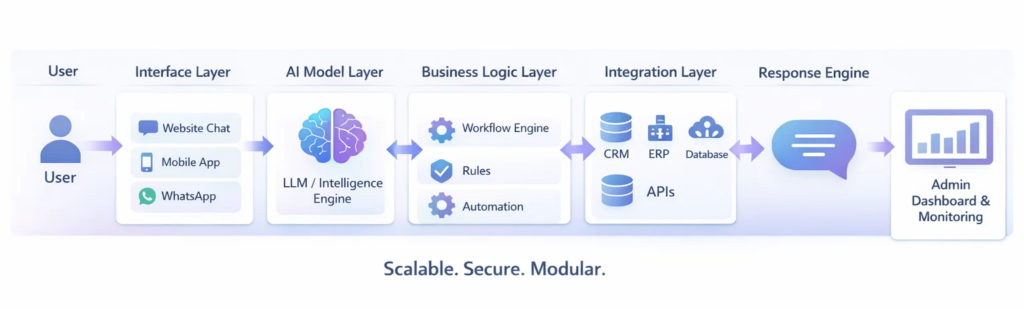
Real Technical Challenges That Drive Up AI Agent Development Cost
This is the section most pricing articles avoid — because it requires honesty. Below are the recurring technical problems that quietly inflate the cost to develop an AI agent. If a vendor’s quote does not address these, the number is incomplete.
1. Hallucination Control
LLMs confidently invent facts. In customer-facing systems this is a legal and reputational risk. Mitigation requires retrieval grounding, structured outputs, citation enforcement, and an evaluation harness that catches regressions when prompts or models change. Adds 8–12% to the budget.
2. Context Window & Memory Management
Long conversations and large knowledge bases blow past context limits. Engineering effort goes into smart chunking, summarization loops, hierarchical memory, and retrieval that returns the right 4 KB instead of every 4 KB. Done wrong, accuracy drops and token costs explode.
3. Tool-Use Reliability
Function calling looks simple in a demo. In production, the agent must handle malformed tool outputs, partial failures, retries with backoff, idempotency, and recovery from a half-completed action. This is plain backend engineering — and where most “demo to production” gaps live.
4. Latency vs. Cost vs. Quality Tradeoffs
A frontier model gives the best answers but is slow and expensive. A small model is fast and cheap but misses nuance. Production agents use a router — small model for easy turns, large model for hard ones — plus caching, streaming, and parallel tool calls. Building this correctly takes real effort.
5. Security & Prompt Injection
Any agent that reads untrusted content (emails, documents, web pages) is exposed to prompt injection. Defending against it means input sanitization, tool-call allowlists, capability scoping, audit logging, and red-team testing. Skipping this is not an option for enterprise deployments.
6. Evaluation & Regression Testing
Traditional unit tests don’t capture LLM behavior. Teams need golden-set evals, LLM-as-judge scoring, A/B harnesses, and automated regression detection so a prompt tweak does not silently break 5% of conversations. Without this, every release is a coin flip.
7. Data Privacy & Compliance
HIPAA, GDPR, SOC 2, and PCI introduce data-residency, retention, redaction, and audit obligations. PII redaction in logs, regional model deployment, BAAs, and consent flows are non-negotiable in regulated industries — and they materially add to engineering hours.
8. Legacy System Integration
Older CRMs and ERPs ship with weak APIs, rate limits, undocumented edge cases, and authentication quirks. Half of integration work is reverse-engineering and stabilizing these surfaces. This is the #1 source of timeline slippage in enterprise AI projects.
Enterprise AI Customer Support Agent Cost (Realistic 4-Month Build)
Let’s walk through a realistic scenario so you can clearly understand enterprise AI agent cost. Imagine a company wants a production-ready AI customer support agent that can actually handle real traffic — not just demo conversations. The agent must:
- Answer customer queries instantly with cited sources
- Check order or ticket details from internal systems in real time
- Create and update support cases automatically
- Escalate complex issues to human agents with full context
- Remember past conversations for continuity
- Provide an admin dashboard for monitoring, prompt edits, and analytics
- Meet enterprise-level security, SSO, and access requirements
At this level you are not building a chatbot — you are building core support infrastructure. A typical enterprise build takes around four months because multiple specialists are involved: AI engineers, backend engineers, frontend developers, UI/UX designers, QA, DevOps, and a project manager.
| Role | Allocation | Approx. Cost (4 months) |
|---|---|---|
| AI / LLM Engineer | Full-time | $15,000 – $20,000 |
| Backend Engineer | Full-time | $12,000 – $16,000 |
| Frontend Developer | Part-time | $6,000 – $9,000 |
| UI/UX Designer | Part-time | $3,000 – $5,000 |
| QA Engineer | Part-time | $4,000 – $6,000 |
| DevOps | Part-time | $3,000 – $5,000 |
| Project Manager | Part-time | $2,000 – $4,000 |
| Total Development | $45,000 – $65,000 |
Add multi-channel support (WhatsApp, email, voice), advanced analytics, or custom training and the cost rises to $85,000+. This is why AI development company pricing varies so much — two projects that sound similar can require very different engineering effort behind the scenes.
Cost to Develop an AI Agent by Region (2026)
Hourly rates vary dramatically. The same enterprise-grade build costs very different amounts depending on where the team is based.
| Region | Senior AI Engineer Rate | Same Enterprise Agent Build |
|---|---|---|
| United States / Canada | $150 – $250 / hr | $110,000 – $180,000 |
| Western Europe / UK | $110 – $180 / hr | $80,000 – $140,000 |
| Eastern Europe | $60 – $110 / hr | $50,000 – $90,000 |
| India / South Asia | $35 – $80 / hr | $30,000 – $65,000 |
| Latin America | $50 – $90 / hr | $40,000 – $75,000 |
Lower hourly rates are not automatically cheaper. Quality of architecture, evaluation discipline, and integration experience matter far more than headline rate — a poorly built $30,000 agent often costs $80,000 to fix.
This Might Be Useful to You: Average Cost to Build and Deploy Enterprise AI Agents For Small Business
Build vs. Buy vs. Hybrid — Which Is Right for You?
| Approach | Best For | Pros | Cons |
|---|---|---|---|
| Off-the-shelf SaaS (Intercom Fin, Zendesk AI, etc.) | Standard support, fast launch | No build cost, instant value | $0.50–$2 per resolution adds up; limited customization |
| No-code platforms (Voiceflow, Botpress, Relevance AI) | Marketing teams, simple flows | Cheap, fast iteration | Hits a ceiling on complex integrations |
| Custom build with frameworks | Differentiated product, deep workflows | Full control, owns the IP, fits your data model | Higher upfront cost, requires engineering team |
| Hybrid (custom on top of SaaS) | Most growing companies | Best of both worlds | Vendor lock-in risk, requires planning |
What Increases AI Agent Development Cost the Fastest
Many businesses begin with a simple requirement but expand scope during planning. Each new feature adds development time, testing effort, and integration work. The biggest cost drivers, ranked:
| Cost Driver | Typical Impact on Budget |
|---|---|
| Multi-channel support (web + WhatsApp + voice + app) | +20% to +30% |
| Custom model fine-tuning or domain training | +15% to +35% |
| Large knowledge base (10k+ documents) with high-accuracy RAG | +10% to +20% |
| Enterprise security, SSO, audit logging, compliance (SOC2/HIPAA) | +10% to +25% |
| Real-time analytics dashboard with drilldowns | +8% to +15% |
| Human-in-the-loop review & ticket escalation workflows | +5% to +12% |
| Voice (STT + TTS + telephony) capability | +15% to +25% |
| Multilingual support (5+ languages) | +8% to +15% |
Voice search is no longer a next-generation concept – it’s already here. The real question is no longer whether you should adopt it. The real challenge is how to deliver a voice search experience that is faster, smarter, and better than anyone else in your market.
Today, smart businesses are using voice AI to improve user experience, increase accessibility, and respond to customers faster. It’s becoming a competitive advantage, not just a technical feature. If your competitors are optimizing conversational queries and you’re not, you’re already behind. Voice search is now a standard expectation in modern digital experiences – and the focus has shifted from adoption to optimization. As of 2026, voice AI search has evolved from a convenience feature into a significant segment of global search behavior.
While traditional typing remains dominant for detailed or complex tasks, voice-based interactions now account for around 20% – 50% of overall searches globally, with significantly higher adoption on mobile devices and smart assistants. In fact, billions of voice-enabled devices are active worldwide, and conversational queries continue to grow as users prioritize speed, convenience, and hands-free access. Voice AI search is especially prominent in local searches, quick information queries, navigation, and transactional intents. The shift is not about replacing text-based search entirely it’s about expanding how users access information. As conversational AI improves in accuracy and contextual understanding, voice is becoming a stable and influential layer of modern search behavior rather than just an experimental trend. Users ask complete questions like, “Which agency offers AI-powered SEO services near me?” rather than typing fragmented keywords. This change directly impacts SEO strategy, structured data implementation, and content architecture.
Voice Search AI integration enables websites, applications, and digital platforms to listen, understand intent using Natural Language Processing (NLP), and respond with precise, context-aware answers. It is not a simple feature addition it is a layered integration that connects speech recognition, AI models, backend systems, and search optimization frameworks. At Triple Minds, we approach voice search AI integration as a strategic digital growth initiative. Our focus is not just implementation, but aligning voice technology with long-term search visibility, Answer Engine Optimization (AEO), and enhanced user experience. As conversational search continues to expand, businesses must build scalable, future-ready voice capabilities into their digital ecosystem to stay competitive.
Want to Integrate Voice Search AI the Right Way?
Transform your digital presence with advanced Voice Search AI integration that strengthens visibility, improves user experience, and positions your brand as the trusted answer in AI-driven search environments. Move beyond traditional SEO and build a smarter, future-ready search ecosystem today.
Start Your Voice Search Optimization Today
Key Takeaways
- Voice search now accounts for a significant share of global searches and is no longer an experimental feature.
- Implementation timelines range from 2 weeks to 16+ weeks depending on project complexity.
- Clean infrastructure and structure data can significantly speed up deployment.
- Voice AI integration combines speech recognition, NLP, intent matching, and backend connectivity.
- Conversational SEO and featured snippet optimization are critical for voice visibility.
- ROI often appears first through operational efficiency and reduced support costs.
- Costs vary widely based on customization, integrations, and enterprise requirements.
- Businesses that adopt voice strategically position themselves for AI-driven discovery and future search behavior.
What Is Voice Search AI Integration?
Voice Search AI Integration is the process of adding intelligent voice capabilities to your digital platforms so users can search, ask questionns, and interact using natural speech instead of typing. Instead of clicking through menus or entering short keywords, users simply speak – and the system understands, processes, and responds in real time.
At its core, voice AI integration combines speech recognition and Artificial Intelligence. First, speech recognition technology converts spoken words into text. Then, AI and Natural Language Processing (NLP) analyze the meaning behind those words – not just the exact phrasing, but the intent. This allows the system to respond accurately, even if different users ask the same question in different ways.
Voice Search AI integration can appear in several forms across a business ecosystem. It may include voice-enabled search bars on websites, AI-powered assistants within mobile apps, integrations with smart assistants like Alexa, Google Assistant, or Siri, voice-driven customer support systems, or even automated AI call handling solutions. Unlike traditional search, which relies heavily on specific keywords, voice AI understands context, conversational tone, and follow-up queries.
For example, a user might ask, “What are your service packages?” and then follow up with, “Which one is best for small businesses?” The system connects both questions naturally.
In simple terms, voice search AI shifts digital interaction from typing keywords to having conversations – creating faster, more intuitive, and more human-like user experiences.
You Might Also Find This Useful: How Much Does It Cost to Build an AI Agent?
How Does Voice Search AI Integration Work?
Voice search AI may sound complex, but the process behind it follows a clear and logical flow. It works through multiple connected layers that allow the system to listen, understand, and respond intelligently.
1. Speech Recognition
The first step is listening. When a user speaks, the system uses speech recognition technology to convert spoken words into text. This step ensures the AI accurately captures what was said, even with different accents, speeds, or pronunciations.
2. Natural Language Processing (NLP)
Once the speech is converted into text, NLP takes over. This is the “brain” of the system. Instead of just reading the words literally, NLP analyzes the meaning behind them. It understands intent, context, tone, and even variations in phrasing. For example, “Find me a nearby SEO agency” and “Which SEO company is close to me?” mean the same thing – and NLP recognizes that.
3. Intent Matching & Logic Engine
After understanding the query, the system identifies the user’s intent. It then matches that intent to the correct action – whether that means retrieving information from a database, triggering a workflow, or displaying specific results.
4. Response Generation
The system prepares a response. This could be text displayed on a screen, a spoken answer through text-to-speech, or even an automated system action like booking an appointment.
5. Continuous Learning
Modern voice AI systems improve over time. They analyze user behavior, repeated queries, and interaction patterns to refine accuracy and make responses more relevant.
At the core of all these layers is NLP, which enables the system to move beyond simple keyword matching and truly understand conversations – making interactions feel natural, fast, and human-like.
How Long Does It Take to Implement Voice Search AI Integration?
There isn’t a single fixed timeline for voice search AI integration. The duration depends on how complex your systems are, what you want the voice assistant to do, and how prepared your infrastructure already is. A simple voice-enabled search bar is very different from a fully automated, AI-driven conversational ecosystem.
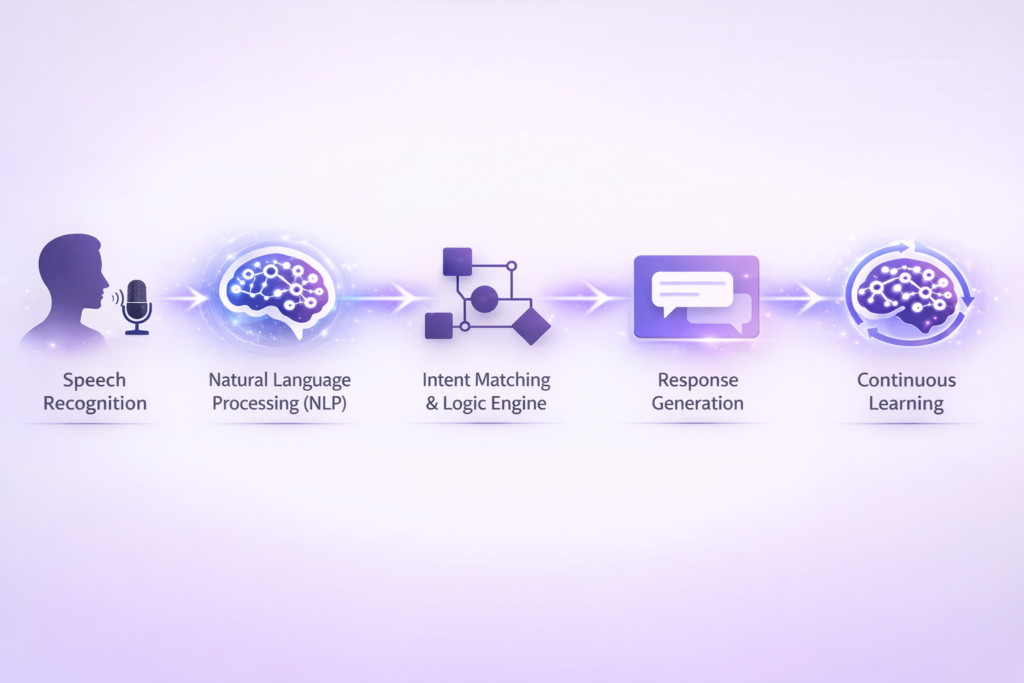
To make it easier to understand, here’s a estimated structured breakdown:
1. Small-Scale Projects (2-4 Weeks)
This is ideal for small businesses or informational websites that want basic voice functionality. For example, adding a voice-enabled search button that allows users to speak instead of type.
Typically, this includes integrating a speech-to-text API, setting up simple NLP intent recognition, building limited conversational flows (like FAQs), and running initial testing. If your backend systems are already structured and organized, implementation is relatively fast.
2. Mid-Level / Growth Stage Projects (4-8 Weeks)
At this stage, voice AI becomes more interactive. Ecommerce stores, SaaS platforms, and service businesses often fall into this category.
Here, the system must handle multiple intents, connect with product databases or service catalogs, integrate with CRM systems, and optimize structured data. Conversational flows become more advanced, and testing becomes deeper to ensure accuracy.
3. Enterprise-Level Voice AI Integration (8-16+ Weeks)
Enterprise projects are more complex because voice AI connects with multiple operational systems. This often includes advanced NLP modeling, multilingual capabilities, personalization layers, deep CRM/ERP integration, security validation, and compliance checks.
For industries like healthcare or fintech, additional regulatory layers increase the timeline.
4. AI-Driven Conversational Ecosystem (16+ Weeks)
This goes beyond integration – it becomes digital transformation. Organizations implementing omnichannel voice systems, AI-powered automation, smart device ecosystems, and personalized voice commerce fall into this category.
Voice AI becomes embedded across customer support, marketing, operations, and sales.
What Determines the Timeline?
Several factors influence speed:
- How organized your technical infrastructure is
- Whether APIs are ready for integration
- Clean and structured data availability
- Complexity of conversational design
- Multilingual requirements
- Compliance and security layers
- Level of AI customization needed
Projects slow down when backend systems are fragmented or content is unstructured. The cleaner your data and systems, the faster voice AI can be deployed. In short, voice search AI integration can take a few weeks or several months – depending on how deeply you want voice embedded into your digital ecosystem.
Ready to Lead in Voice Search AI?
Get a detailed cost estimate and ROI projection for your Voice Search AI integration project. Free consultation with our experts.
Request Your Custom StrategyHow Much Does Voice Search AI Integration Cost?
The investment required for voice search AI integration varies based on project scope, system complexity, and customization level. While there is no one-size-fits-all pricing, below are general industry estimates to help businesses understand the typical investment range. Actual investment depends on infrastructure readiness, integration depth, and customization requirements.
Estimated Market Investment Range
| Project Type | Estimated Investment (USD) | Best For | Scope Level |
| Foundational Integration | $3,000 – $10,000 | Small businesses, basic websites | Entry-Level |
| Growth-Level Integration | $10,000 – $35,000 | Ecommerce, SaaS, service platforms | Moderate |
| Enterprise Integration | $35,000 – $150,000+ | Large enterprises, regulated industries | Advanced |
| Ongoing Monthly Costs | Usage-Based | All project types | Continuous |
Foundational Integration ($3,000 – $10,000)
This includes basic speech-to-text API integration, simple NLP intent mapping, and limited conversational flows such as FAQ responses or voice-enabled search bars.
Growth-Level Integration ($10,000 – $35,000)
This tier involves custom NLP configuration, backend database integration, CRM connectivity, structured data optimization, and multi-intent conversational handling.
Enterprise-Level Integration ($35,000 – $150,000+)
Enterprise projects require advanced AI modeling, multilingual support, compliance validation, ERP/CRM integration, personalization layers, and scalability testing.
Ongoing Costs
Beyond implementation, businesses should budget for:
- API usage fees (based on voice query volume)
- Cloud infrastructure
- AI model refinement
- Monitoring and maintenance
What Kind of Businesses Benefit from Voice Search AI Integration?
Voice search isn’t limited to tech companies or large enterprises. It benefits any business where users search, ask questions, book services, or make decisions quickly. The key advantage is speed and convenience – users get answers without friction.
1. Ecommerce
In ecommerce, voice AI simplifies product discovery and purchasing decisions. Instead of typing filters manually, users can simply say:
“Find eco-friendly running shoes under $100.”
The AI instantly filters products based on price, category, and attributes. Voice can also support order tracking, stock checks, and personalized product recommendations.
For online stores, this reduces search friction and improves conversion rates by making product discovery conversational and intuitive.
2. SaaS Platforms
For SaaS businesses, voice AI improves user experience inside the platform. Users can navigate features, access documentation, or request help using natural speech.
For example:
“Show me how to integrate this tool with Salesforce.”
Instead of searching help articles manually, the system guides them directly. Voice AI can also assist during onboarding, reducing support tickets and improving user retention.
3. Healthcare
Healthcare platforms can use voice AI for appointment booking, service location queries, and general symptom guidance. Patients can ask simple questions and get quick responses, improving accessibility – especially for elderly users.
4. Financial Services
Banks and fintech companies can use voice AI for loan eligibility checks, account information, or product comparisons. Secure, conversational access improves customer convenience while reducing call center load.
5. Local & Multi-Location Businesses
Voice is extremely powerful for local discovery.
Users commonly ask:
- “Find the nearest branch.”
- “Are you open today?”
- “Do you offer same-day service?”
Voice integration improves visibility in local search environments and helps businesses capture high-intent queries.
How Voice Search Impacts Digital Marketing
Voice search doesn’t just change technology – it reshapes digital marketing strategy.
1. Conversational SEO
Content must answer real-world questions, not just target keywords. People speak differently than they type.
2. Featured Snippet Optimization
Voice assistants often pull answers from concise, well-structured content blocks. Clear summaries matter more than ever.
3. Local Search Visibility
A large percentage of voice searches are location-based. Optimizing Google Business Profiles and structured data becomes critical.
4. Entity Optimization
AI systems rely on structured brand signals – consistent business information, schema markup, and authority signals.
5. Reduced Click Dependency
Sometimes users get answers directly from voice assistants without visiting a website. That means brand presence and structured visibility matter even beyond traffic.
Voice AI pushes digital marketing toward clarity, structured data, topical authority, and conversational relevance. It aligns closely with Generative AI Optimization and AI-driven discovery models.
Common Mistakes That Delay Voice Search AI Integration
When businesses decide to implement voice search AI integration, delays often occur not because of technology limitations, but due to poor planning and unclear execution strategies.
| Issue | Explanation |
|---|---|
| Neglecting conversational search behavior | Ignoring how users naturally speak and ask questions in voice search can lead to irrelevant or poorly matched responses. |
| Overlooking Natural Language Processing (NLP) optimization | Voice search depends on understanding context and user intent. Without intent-focused and question-based content, accuracy and performance decrease. |
| Poor content structuring | Not organizing content with proper semantic structure, FAQs, and structured data makes it harder for AI to understand and respond correctly. |
| Technical misalignment during integration | If API compatibility, server setup, or scalable infrastructure are not ensured, it can cause system conflicts and project delays. |
| Underestimating data training requirements | AI models need clean, labeled, and structured data. Poor data preparation reduces accuracy and slows development. |
| Inadequate infrastructure planning | Without scalable architecture, voice AI systems may face performance issues as user traffic increases. |
| Lack of cross-team coordination | Poor communication between SEO teams, developers, and AI engineers can cause confusion and longer project timelines. |
| Unclear execution strategy | Without clear goals, milestones, and performance benchmarks, the implementation process can lose direction and delay launch. |
Measuring ROI After Implementation
Voice search ROI is not just about traffic – it’s about efficiency and experience.
Key performance indicators include:
- Voice query success rate
- Task completion rate
- Customer support cost reduction
- Improved engagement
- Assisted conversions
- AI-driven brand visibility
Many businesses see operational ROI first reduced support costs and faster customer interactions – before direct revenue impact becomes visible.
The Triple Minds Approach
At Triple Minds, we treat voice AI integration as part of a broader AI visibility and digital authority strategy. The objective isn’t just enabling voice interaction — it’s ensuring your brand is understood, trusted, and surfaced across conversational search environments, powered by advanced AI model training techniques.
Businesses that integrate voice strategically today are not just improving user experience – they are positioning themselves for the next evolution of AI-driven discovery.
FAQs
Voice search AI integration involves adding speech recognition APIs, connecting NLP models to process user queries, and configuring the backend to deliver accurate voice-based responses. Proper SEO structuring and conversational content optimization are also essential.
AI analyzes conversational queries, user intent, and long-tail keywords to structure content in a natural Q&A format. This improves semantic relevance and increases chances of ranking in voice search results.
The timeline depends on data availability, your existing tech stack, API integrations, NLP training, security requirements, multilingual support, and testing phases. The more complex the setup, the longer the implementation takes.
Yes, voice AI can be added to existing websites, mobile apps, CRM systems, and eCommerce platforms using APIs and cloud-based AI services. It usually does not require rebuilding the entire system.
Yes, using third-party platforms like Google Cloud Speech-to-Text, Amazon Alexa, or Microsoft Azure Speech Services can significantly speed up development. They provide ready-made tools instead of building everything from scratch.
Custom models offer higher accuracy and better personalization but require more time and investment. API-based solutions are quicker to deploy and more cost-effective for most businesses.