
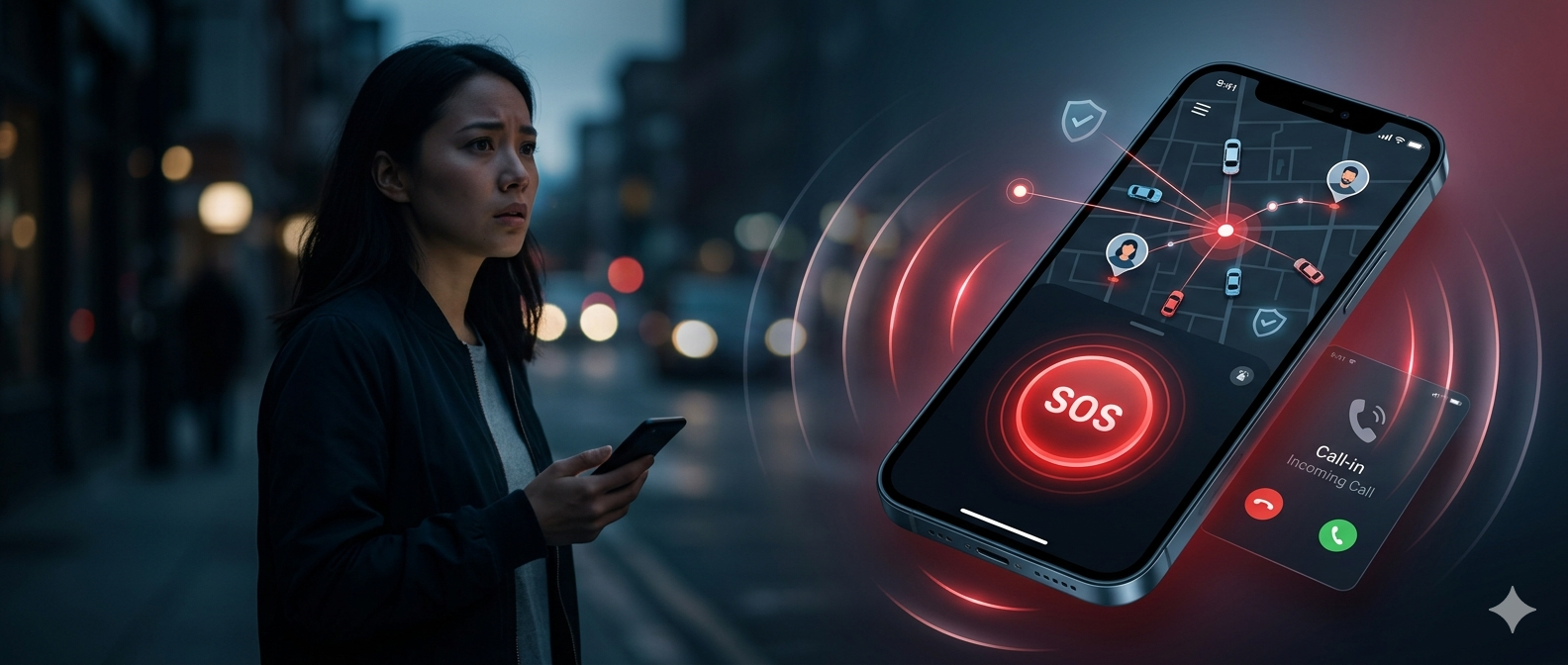
Every effort and second counts when it comes to your safety. We often stay unprepared for what’s coming next.
In a life threatening situation, a person either simply freeze or fumble using their phone trying to remember numbers to contact. That’s where having a personal safety app like Uber can make a big difference.
Apps like Uber changed how we think about getting from one place to another. The same model, when applied to personal safety, can change how people get help when they need it most. One tap, real time location, verified help on the way.
That is a powerful problem to solve. And if you are someone who wants to build that solution, this guide is for you.
Building an Uber like safety app includes many things like an MVP, good user panel, up to date features and a good knowledge about the development process.
Think about the Uber model for a moment. With your one tap, help comes to you and you can track everything also. Now let’s come to personal safety app. Building a safety app with Uber like mechanics and features can help someone connect to nearby trusted people, emergency services or a verified response network instantly without any delay.
Key Takeaways
1) Speed and instant response are critical because even a few seconds can make a difference in emergencies
2) Trust and user verification are essential to ensure that help comes from reliable and safe individuals
3) Start with a focused MVP by prioritizing core features like SOS alerts and real time location tracking
4) A strong backend system and admin control panel are more important than just a good-looking interface
5) A proper launch strategy with an active nearby user network is necessary for the app to function effectively
See How We Built a Real-World Women Safety App
Discover how Triple Minds designed and launched Friendo, a powerful women safety app helping users respond instantly in critical situations. Explore the strategy, features, and execution behind a real-world safety platform.
Explore Friendo Case Study 🚀
What Is An Uber Like Safety App And Why Does It Matter?
An Uber like safety app works on a simple principle which is when you are in trouble, the app connects you to help the same way Uber connects you to a driver. It uses your real time location, a verified network of nearby users or contacts and automated alerts to get assistance moving toward you fast.
In today’s time, modern safety apps have evolved into full protection platforms. They use GPS location sharing, fake call triggers, KYC verified users, shake to activate alarms and emergency notifications sent via SMS, WhatsApp and email simultaneously.
The demand for such apps is growing. Personal security concerns are rising across urban areas and people are increasingly looking for technology that acts before a situation get out of control.
Explore More: Cost to Make an Uber-Like Tow Truck Booking App
Core Features Your Uber Like Safety App Must Have
Before you think about technology or cost, make sure to have up to date and right features in your safety app. Every feature must work efficiently helping users at the time of urgency.
Here are the must have features that every Uber like safey app should have
1) One shake or One Tap SOS Activation
The alarm should trigger by shaking the phone or pressing a dedicated button. No unlocking, no navigation, no delay. Once activated, the app immediately begins broadcasting the user’s location to emergency contacts and nearby verified users.
2) Fake Call Feature
This allows a user to trigger a realistic incoming call to exit a dangerous or uncomfortable situation without drawing attention. It is one of the most used features in real world safety apps because it works quietly before things escalate.
3) Blood Bank
This important feature allows user to raise an urgent blood or platelets request within a specific location or city. Your request will be instantly notified to all the users in that city which increase the chances of getting a quick donor response during medical emergencies.
4) Real Time GPS Location Sharing
The app tracks and shares the user’s live location with their trusted contacts and if needed, nearby helpers on the network. This is the same technology that powers ride hailing apps adapted for emergency response .
5) KYC And Document Verification For Users
This is what separates a trusted safety network from a random app. Every helper on the platform goes through KYC verification, document checks and identity confirmation before they can respond to requests. This is what makes the Uber model work for safety.
6) Uber Style Nearby Help Request
Just like Uber shows available drivers near you, the app shows verified, nearby people who have opted in to help. When you send a distress signal, the closest available helper is notified. They can accept and navigate to you.
7) Emergency Notifications Via Multiple Channels
When an SOS is triggered, the app sends alerts through push notifiactions, SMS, WhatsApp and email simultaneously to ensure the message gets through regardless of network conditions.
8) Smart Admin Dashboard
Operators need full visibility. A well built admin panel gives you control over user verification, incident tracking, response analytics, flagged accounts and platforms wide safety management.
9) Escalation To Emergency Services
For situations where nearby helpers are not enough, the app should have a direct link to police or emergency services with the user’s location pre-loaded, cutting response time significantly.
10) Call An Ambulance
In case of accidents, by this feature the user can quickly contact a hospital by calling an ambulance number on the app.
This Might Be Useful: Must Have Features in a Women Safety App
Development Guide To Create An Uber Like Safety App : Step By Step
1) Idea & Requirement gathering
Everything starts here. Before a single screen is designed or a line of code is written, the team needs to understand exactly what problem is being solved and for whom.
This stage involves defining the target user, mapping out the core use case, identifying what features are truly essential versus nice to have and understanding any legal or compliance requirements specific to the region. A women’s safety app has very different needs than a senior citizen monitoring tool or a corporate employee safety platform. Getting this wrong at the start creates expensive rework later.
2) Planning and Prototype
Once the requirements are clear, the project gets structured. This means breaking the product into three panels, the user app, the helper app and the admin panel and defining how they interact with each other as one system.
A clickable prototype is built at this stage. It is not the real app. It is a working model that shows how screens connect, how the SOS flow works and how the admin panel is organized. The prototype saves enormous time and money because it catches flow problems before the development begins. Stakeholders can see and feel the product before a single component is built.
3) UI/UX Design
Safety app design follows one rule above everything else that it must work when the user is scared and in a hurry. That means large buttons, minimal steps, high contrast visuals, and zero confusing navigation.
The design phase produces every screen for all three panels, complete with
1) Interaction States
2) Error handling
3) Accessibility considerations
Good UX here is not about making things look beautiful. It is about making the SOS trigger reachable in two seconds, the fake call feel realistic and the helper confirmation screen readable at a glance. Every design decision is stress tested against the worst case scenario of someone who needs help right now.
4) Development
This is the largest phase in terms of time, team, and cost. Building a safety app is not just coding screens. It is a process where every stage directly affects the quality of what gets launched.
1) User App
It is built for Android and iOS using React Native or Flutter, covering SOS trigger with shake detection, live GPS broadcasting, fake call system, Uber style nearby helper matching, and multi-channel alerts through push, SMS, WhatsApp, and email, all optimized for one hand use with zero loading delay.
2) Helper and Responder App
This app gives verified helpers their own panel showing nearby SOS requests, navigation to the user’s location, accept or cancel flows, and incident logging. KYC and document verification sits on this side, ensuring every helper is screened before they can receive any request.
3) Admin Panel
Panel built on React.js gives operators full control over user and helper management, verification approvals, real time incident tracking, flagged accounts, notification controls, and analytics dashboards. A weak admin panel is one of the most damaging gaps in any safety app build.
4) Backend Infrastructure
The infrastructure runs on Node.js for real-time operations, with cloud hosting on AWS or Google Cloud to keep the system live and scalable under load. WebSockets maintain the persistent connection between users and helpers during an active SOS event.
5) Database and Security Layer
This layer manages user profiles, location history, incident logs, and verification records, all wrapped in encryption and access controls. Since this app handles personal safety data, security is not a feature. It is the foundation that everything else is built on.
5) Testing and Deployment
A safety app that fails in a real emergency is worse than no app at all. Testing here is not optional and not brief. It covers functional testing of every feature across both platforms, stress testing of the real time location system under poor network conditions, security testing of the KYC pipeline and user data storage, and end to end flow testing of the SOS trigger from activation to helper arrival confirmation.
A closed beta with real users matching the target audience runs before public launch. Feedback from this group almost always surfaces edge cases the development team did not anticipate. Only after this beta round is the app submitted to the Google Play Store and Apple App Store, with compliance checks completed for both platforms. Deployment also includes setting up monitoring tools, server alerts, and crash reporting so the team knows immediately if something breaks post launch.
6. Maintenance and Support
Launch is not the finish line. It is the beginning of a different kind of work. Post launch maintenance covers bug fixes from real world usage, operating system updates for Android and iOS that can break existing features, server monitoring and performance optimization as the user base grows, and security patches as new vulnerabilities are discovered.
Support includes a response system for user reported issues, regular feature updates based on usage data from the admin panel, and version releases that expand the platform over time. Most teams budget 15 to 20 percent of the original development cost annually for maintenance. Skipping this budget is one of the most common reasons a good app slowly degrades after launching.
You May Also Like: How to Make Are You Dead Like App?
Cost To Build An Uber Like Safety App
The cost of developing Uber like safety app depends on many things like features, platform (IOS, Android, Web), integrations and deployment scale. However, the development cost usually varies from $5,000 to $15,000.
Triple Minds also offers services at the same price range including overall features and the development process mentioned above. You can also use our mobile app development cost calculator to estimate your app cost in just a few clicks based on your specific features and requirements.
Mistakes To Avoid While Building An Uber Like Safety App
1) Adding too many features at launch can become a drawback. A bloated app is a slow app. In emergencies, slow is dangerous.
2) Skipping helper verification. If anyone can respond to an SOS, your app creates risk instead of reducing it.
3) Ignoring low signal scenarios. Your app should have an SMS based fallback that works without data so that user’s message gets conveyed.
4) Underestimating the admin panel. Weak moderation tools mean slow response to abuse and poor incident management.
5) Building without talking to real users. Their actual fears and behaviors will almost certainly change your feature list.
Launch Your Safety App Faster With Our White Label Solutions
Triple Minds helps businesses launch Uber-like safety apps with ready-to-deploy white label solutions that include SOS alerts, live tracking, emergency workflows, user management, and real-time safety features. Reduce development time and bring your safety platform to market faster with a scalable, customizable solution.
Explore White Label Safety App Solutions
Final Thoughts
An Uber-like safety app is only effective if it works instantly and reliably in real emergencies. Features like one-tap SOS, real-time location tracking, and a verified nearby helper network are not optional, they are the foundation.
Success comes from building a focused MVP, ensuring speed and trust, and avoiding unnecessary complexity. The goal is simple to create a system that responds without delay and can be relied on when it matters most.
Quick Answers to Common Questions
How do safety apps work in low or no internet conditions?
Good safety apps use SMS fallback systems to send alerts and location details when internet connectivity is weak or unavailable.
Can a safety app be integrated with wearable devices?
Yes, advanced safety apps can connect with smartwatches or wearables to trigger SOS alerts without needing to access the phone.
How do safety apps ensure user privacy?
They use encrypted data storage, controlled access, and allow users to decide when and with whom their location is shared.
Is it possible to monetize a safety app?
Yes, through premium features, subscriptions, partnerships with organizations or white-label solutions for businesses and institutions.
How long does it take to launch a safety app?
An MVP can take around 6–12 weeks, while a fully scalable app may require 3–6 months depending on features and complexity.
Got a project in mind? Let’s build it together.
We work with founders and product teams across consulting, development, and growth marketing. Tell us what you’re building and we’ll show you how we’d ship it.