Real Estate CRM: How It Works, AI-Empowerment & Implementation Guide
A real estate CRM helps agents, brokers, and developers centralize leads, customer data, property information, sales pipelines, and follow-ups. This guide explains how real estate CRM software works, its key features, AI capabilities, implementation process, and business benefits.

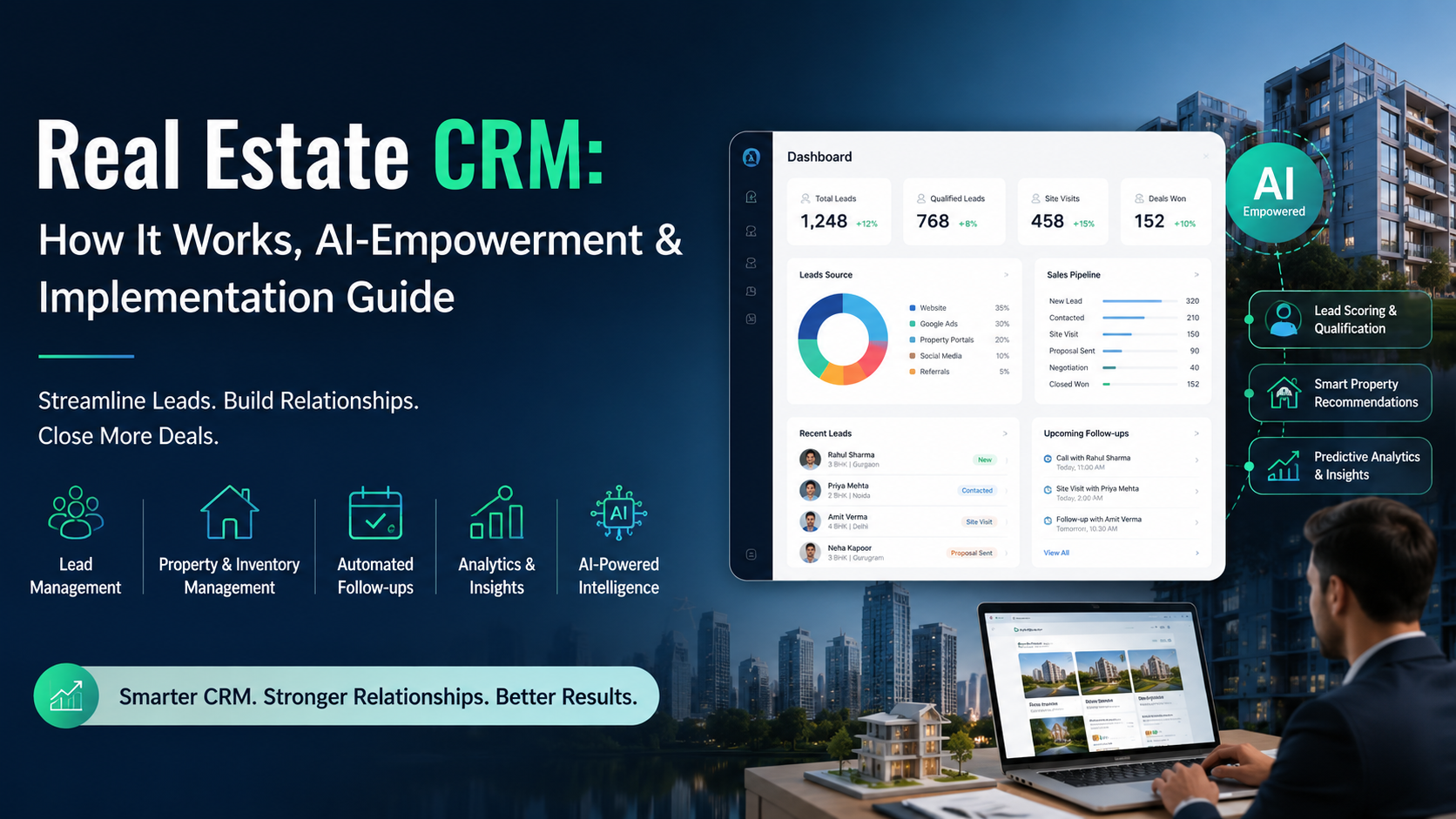
Real estate is a relationship-driven business, but managing these highly intellectual relationships manually becomes difficult. That’s why real estate CRM exists. Real estate Customer Relationship Management is specialized software designed to help agents, brokers, and developers manage client relationships, track leads, and automate property sales workflows.
Triple Minds is among the most reliable real estate CRM software development companies, assisting real estate businesses in generating leads, managing customer details, tracking sales activity, and fostering customer relationships. In this blog, we will study how a real estate CRM works, what its benefits are, and its implementation structure.
Key Takeaways
- A real estate CRM centralizes customer and property data.
- It captures leads from websites, Google and social campaigns, property portals, phone calls, WhatsApp, referrals, and walk-ins.
- Automated lead assignment improves response time by routing inquiries to the right salesperson.
- CRM analytics helps managers make data-driven decisions by tracking important data.
- AI can make real estate CRM systems more proactive by scoring leads and qualifying prospects.
Ready to Build a Smarter Real Estate CRM?
A real estate CRM should do more than store leads and property data. Triple Minds helps real estate businesses design, develop, integrate, and optimize CRM solutions around their workflows, sales processes, and growth goals. Whether you are building a new CRM or improving an existing system, our team can help turn your requirements into a scalable technology solution.
Talk to Our CRM Experts
What is a Real Estate CRM? Is it Different From Others?
A real estate CRM software centralizes property leads, customer information, communication, follow-ups, site visits, sales pipelines, and post-sales activities. It captures leads from websites, ads, portals, calls, and other channels. After attracting leads, real estate CRM assigns them to sales teams, automates follow-ups, tracks interactions, and provides managers with real-time visibility into their sales pipeline. At its simplest level, the CRM creates a centralized record for every prospect that contains:
- Name and contact details
- Lead source
- Property or project of interest
- Budget
- Preferred location
- Property type
- Buying timeline
- Communication history
- Site visit information
- Salesperson assigned
- Follow-up tasks
- Documents
- Deal stage
- Booking status
- Payment information
- Notes and activities
A real estate CRM is different from other CRM software because it is specifically designed for real estate-based businesses. Unlike a spreadsheet, a CRM expands beyond storing information. It uses the data to trigger actions, automate workflows, assign leads, monitor sales activity, and provide insights.
Modern real estate CRMs can also provide a unified view of client interactions across different channels. For example, Salesforce is a centralized CRM system that gives teams a single view of the client and increasingly uses AI to automate tasks and generate actionable insights.
A simple example
Imagine a developer launches a new residential project.
Within one day, the company receives:
- 70 leads from Google Ads
- 45 leads from Facebook
- 30 inquiries from property portals
- 15 website inquiries
- 10 walk-ins
- 8 referrals
Without a CRM, these leads will either get distributed manually among the sales executives or might end up in different spreadsheets.
How Does a Real Estate CRM Work?
A real estate CRM generally works as a connected workflow. The system receives information from different channels. It organizes the information, applies business rules, triggers actions, and gives sales teams a centralized workspace.
Lead Capture From Multiple Sources
The first job of a CRM is to capture leads. Real estate businesses generate inquiries from Google Ads, Meta Ads, company websites, landing pages, property portals, organic search, social media, WhatsApp, etc. A real estate CRM integrates with the valuable lead sources.
For example, a residential developer may run a Google Ads campaign for:
“3 BHK flats under ₹1.5 crore.” A user clicks the advertisement, lands on a project page, submits a form, and requests a brochure.
Now, rather than manually downloading the form submission and entering the information into an Excel sheet, the CRM will automatically create a lead record that will separately store each piece of information. The record could look like:
Lead: Rahul
Source: Google Ads
Project: XYZ Residency
Requirement: 3 BHK
Budget: ₹1.5 crore
Location: Gurgaon
Timeline: 1–3 months
Status: New
Lead Enrichment and Centralized Customer Profiles
After capturing the leads, the CRM will build a customer profile. Suppose Rahul is the name of a person who visits your real estate company’s website more than once and views 3BHK floor plans, price details, amenities, etc.
If your website is connected to CRM, these interactions will become valuable and useful user behavioral signals. On the salesperson’s end, he will see that Rahul is interested in 3 BHK inventory and has taken appropriate actions such as downloading the brochure and visiting the website more than 3 times.
The real estate CRM can gradually create a 360-degree customer profile that will include insightful demographic, behavioral, transactional, and communication information. This will assist the salespeople in personalizing conversations with the potential lead.
Lead Qualification
Not every lead has the same value. A real estate company may receive hundreds of inquiries, but some people will be visiting to conduct property research while others are ready to make a purchase. A CRM can help sales teams classify leads according to predefined criteria. Consider two leads:
Lead A
- Budget: ₹1.5 crore
- Preferred property: 3 BHK
- Timeline: Within 30 days
- Requested a site visit
- Responded to salesperson
Lead B
- Budget: ₹80 lakh
- Preferred property: 4 BHK
- Timeline: 12 months
- Has only downloaded a brochure
A CRM can assign Lead A a higher priority because the available inventory is more aligned with the buyer’s requirement.
Automatic Lead Assignment
At this point, the lead has entered your CRM. Now, the software will determine which salesperson is qualified to nurture this lead. Lead assignment can be based on multiple factors such as location, project, language, lead source, property type, sales territory, agent availability, etc.
Example
Suppose a developer sells projects in Florida, California, and Texas. A new inquiry is raised regarding a California project. Instead of sending the lead to a random salesperson, the CRM will automatically route it to the California sales team. This will reduce the response delays and prevent leads from sitting unassigned.
Automated Follow-Ups
Follow-up is one of the most important functions of a real estate CRM.
Real estate purchases don’t happen overnight; they can often take weeks or months, which makes follow-up one of the most important functions of a real estate CRM. Before making a decision, the prospects may need multiple conversations. A CRM can create automated follow-up workflows. For example:
Day 0: Send brochure
Day 1: Salesperson calls
Day 3: Send project highlights
Day 5: Share available units
Day 7: Invite for site visit
Day 14: Send construction update
Day 21: Follow-up call
Day 30: Re-engagement message
The system can create tasks automatically and, where integrations and permissions allow, trigger emails, SMS, WhatsApp messages, or calls.
Practical example
Let’s say a salesperson has to handle 150 active leads and without an automation model, it will become difficult for him to manually remember the follow-up dates. But with CRM, the dashboard could show follow-ups based on the weekdays like-
Today’s follow-ups
- 9 hot leads
- 12 post-site-visit leads
- 6 negotiation leads
- 18 cold leads requiring reactivation
Communication Tracking
When you’re dealing with a lead or client, conversations can happen on a phone call today, a WhatsApp message tomorrow, an email next week, a quick note after a site visit. If all of that lives in different places, it will become difficult for you to track their requirements.
A CRM’s “communication tracking” feature solves this by pulling all of it into one single timeline per contact — so instead of hunting through five apps, you open one lead’s profile and see everything that’s happened with them, in order. Depending on the CRM, that timeline can capture things like:
- Every call made or received
- Emails sent/received
- WhatsApp and SMS threads
- Notes from meetings or site visits
- Follow-up tasks that were created
- Documents shared (brochures, quotes, agreements)
- Internal notes from the salesperson
Sales Pipeline Management
Think of every lead as being at some “stage” in their journey toward buying, which means not everyone is ready to buy today. Instead of just dumping all leads into a big list, a CRM’s pipeline feature organizes all your leads by where they are in that journey. A typical real estate pipeline could include:
New Lead → Contacted → Qualified → Site Visit Planned → Site Visit Completed → Negotiation → Booking → Closed.
Different businesses can customize these stages. For example, a commercial property company may use:
Inquiry → Requirement Collected → Property Shortlisted → Property Tour → Proposal → Negotiation → Legal Review → Agreement → Closed
Site Visit Management
Site visits are particularly important in real estate. A CRM can help coordinate the visit date and time, assigned salespersons, prospect details, property, reminder location, attendance status, visit outcomes, follow-up tasks, etc.
Example
A buyer schedules a site visit for Saturday at 11 AM.
The CRM can:
- Add the appointment to the salesperson’s calendar.
- Send a confirmation message.
- Notify the salesperson.
- Send a reminder to the buyer.
- Mark attendance after the appointment.
- Create a follow-up task after the visit.
- Record whether the buyer liked the property.
- Update the lead sales stage.
Property and Inventory Management
If you’re a developer or a large brokerage, just knowing who your leads are isn’t enough — you also need to know what you’re actually selling. Leads without inventory context are like a shop tracking customers but not knowing what’s in stock.
So beyond managing people or leads, the CRM also manages the “product” — i.e., the actual units in a project. For a residential project, that inventory detail typically includes things like: tower name, floor, configuration (1BHK, 2BHK), Area in sq ft., pricing, etc.
Example
A buyer says: “I want a 3 BHK above the 10th floor with a park-facing view.”
The CRM or connected inventory system can filter available units based on these criteria.
This becomes especially useful for developers managing multiple towers and hundreds of units.
CRM and Marketing Automation
A real estate CRM can connect marketing activity with sales outcomes. Suppose a developer spends:
- $25,000 on Google Ads
- $15,000 on Meta Ads
- $10,000 on real estate listing platforms
- $5,000 on email, referral, and other marketing campaigns
The CRM can record the source of incoming leads and connect leads to sales outcomes. The marketing team can then investigate: Which channel generates the most qualified leads and bookings?
Example: Marketing Attribution for a U.S. Real Estate Business
| Lead Source | Leads | Property Tours | Closed Deals |
| Google Ads | 500 | 70 | 12 |
| Meta Ads | 700 | 55 | 7 |
| Real Estate Listing Platforms | 300 | 40 | 9 |
| Referrals | 80 | 35 | 10 |
The referral channel generates fewer leads, but a much higher proportion of bookings. These insights can be useful for you influencing your future marketing budgets.
Analytics and Reporting
A CRM converts day-to-day sales activity into measurable data.
Common dashboards include:
Lead Performance
- Total leads
- New leads
- Qualified leads
- Unqualified leads
- Lead source
- Lead conversion rate
Sales Performance
- Calls completed
- Follow-ups completed
- Site visits
- Negotiations
- Bookings
- Revenue
Agent Performance
- Leads assigned
- Leads contacted
- Response time
- Site visits conducted
- Conversion rate
- Deals closed
Marketing Performance
- Cost per lead
- Cost per qualified lead
- Cost per booking
- Source-wise conversion
- Campaign ROI
Managers can use these reports to identify bottlenecks. For example, if 200 leads are being generated but only 20 are contacted within the desired timeframe, the problem may not be lead generation. It may be sales operations.
Want to understand how AI can securely retrieve and analyze business data stored in existing databases? Explore our guide on What Is a Database Chatbot and How Does It Work? to learn how businesses can interact with their data using natural language and generate real-time insights.
What Makes a Real Estate CRM Different from a Generic CRM?
A generic CRM can store contacts and manage sales pipelines. But a real estate CRM goes further by reflecting the actual property sales workflow. Important real estate-specific capabilities can include:
- Property/project management
- Unit-level inventory
- Site visit scheduling
- Property matching
- Lead-source integrations
- Channel partner management
- Booking workflows
- Payment milestone tracking
- Document management
- Commission tracking
- WhatsApp integration
- Property portal integration
- RERA-related document workflows where applicable
- Buyer and seller relationship management
How Different Real Estate Businesses Use CRM?
A CRM is not implemented in exactly the same way across every real estate business.
Real Estate Agents
Individual agents can use CRM software to manage:
- Buyer inquiries
- Seller leads
- Property preferences
- Follow-ups
- Appointments
- Listings
- Referrals
- Repeat customers
Real Estate Brokerages
The CRM becomes a management system for the entire brokerage as the Brokerages typically need:
- Lead distribution
- Agent management
- Team dashboards
- Commission tracking
- Listing management
- Marketing attribution
- Pipeline visibility
Property Developers
Developers usually require more complex workflows. A developer with CRM may manage leads, qualifications, site visits, negotiation etc. It may also need integrations with:
- Marketing platforms
- Property portals
- Telephony
- ERP systems
- Payment systems
- Accounting software
- Inventory databases
How AI Is Changing Real Estate CRM?
The conventional CRM stored leads, logged calls, and reminded you to follow up. But AI changes this. Now, the role is not just to store information but to act as a predictive model that classifies audiences based on their intent and automates workflows. Instead of simply answering: “What happened?” an AI-enabled CRM can help answer: “What should happen next?”
AI Lead Scoring
The system analyzes lead behavior and assigns priority. That means, instead of a salesperson guessing which of the 180 “new” prospects to call. AI looks at behavioral signals and provides suggestions.
AI Lead Qualification
An AI assistant can ask questions about budget, location, property type, timeline, and requirements before passing the lead to a salesperson.
AI Conversation Summaries
After a call, AI can summarize: customer requirements, objections, budget, required action, and buying timeline, etc.
AI Follow-Up Recommendations
Based on the customer activity and previous conversations, an AI-powered real estate CRM can recommend a follow-up or a required action that can help you encourage customer relationships.
AI Property Matching
AI is the smart agent that knows what the user wants and can match buyer requirements with available properties or units, delivering a seamless user experience.
Predictive Sales Insights
The system can identify leads that appear more likely to convert or accounts that may require immediate attention.
Conversational AI
An AI agent can answer common property questions, collect buyer requirements, qualify prospects, schedule appointments, and update CRM records.
Triple Minds, for example, describes AI agents that can connect to CRMs and other business systems, execute workflows, and operate beyond simple chatbot interactions.
AI can take a real estate CRM beyond traditional automation by handling lead qualification, property recommendations, document processing, and viewing schedules. Explore how AI Agents for Real Estate can help automate intelligent workflows and work alongside your existing business systems.
How Does Triple Minds Implement a Real Estate CRM System?
Investing in real estate CRM software is just one part of your growth journey. The actual goal is successful implementation. Being the best CRM development agency, Triple Minds follows a streamlined approach to help you integrate CRM into your real estate websites.
Step 1: We map your existing sales process.
Step 2: We identify bottlenecks such as missed follow-ups, unqualifying leads, etc.
Step 3: We carefully define CRM data fields like customer details, property requirements, etc.
Step 4: We design lead routing rules that filter valuable leads and nurture others.
Step 5: We build seamless follow-up workflows sending notifications, emails, SMS, etc.
Step 6: We integrate the CRM with your systems to generate and process customer data.
Step 7: Our real estate CRM is not additional administrative work. We train your sales team on actual benefits.
Step 8: Measure adoption to track whether employees actually use the CRM.
A Real Estate CRM is More Than Just Software
A real estate CRM has the ability to turn fragmented customer interactions into a structured and measurable sales process. Want to integrate a real estate CRM into your existing business model? Contact Triple Minds to explore your real estate CRM development needs.
Make Your Real Estate CRM AI-Powered
Your existing CRM already contains valuable customer, property, and sales data. Triple Minds can help you turn that foundation into a smarter real estate operation by integrating AI agents, intelligent lead qualification, automated follow-ups, property recommendations, predictive insights, and AI-powered workflows—without necessarily replacing your entire CRM.
Explore AI Solutions for Real Estate
Quick Answers to Common Questions
What are the common real estate CRM mistakes?
The common real estate CRM mistakes are choosing a CRM with maximum features, treating CRM as a contact database, overlooking integration, over automating conversations, and having no clear ownership. A wise choice depends on your requirements and business objectives.
How to measure the ROI of a real estate CRM?
The return on CRM investment should not be measured simply by the number of features delivered. Lead response time, site visit rates, site visit to booking rate, follow-up completion rate, cost per booking, etc. are some important factors that can help you measure your ROI.
What should a model real estate CRM architecture look like?
For a growing real estate company, the architecture can include layers: user layer, CRM application layer, automation layer, AI layer, Integration layer, data layer, security & monitoring.
Should I buy or build a real estate CRM?
The answer depends on your business model. You can choose an existing or pre-built CRM when you have a standard sales process and custom CRM development in case of specialized workflow. Want to know what will be best for you? Book a free consultation.
Got a project in mind? Let’s build it together.
We work with founders and product teams across consulting, development, and growth marketing. Tell us what you’re building and we’ll show you how we’d ship it.